BrassRing new features for release 26.04.14 are listed here.
BRASSRING Dark Launch
Dark Launch features are those that are released to the Staging environment only and are NOT released to the Production environment for a considerable amount of time.
This process gives an opportunity and enough time to test these features thoroughly before they are available in the production environment. Clients are requested to configure and test these features and provide their feedback and inputs to your respective Infinite representatives.
There are no Dark Launch features in this release.
BRASSRING VISIBLE CHANGES
The BrassRing visible changes for the current release are listed here.
Responsive Recruiter: Restriction on requisition and candidate history
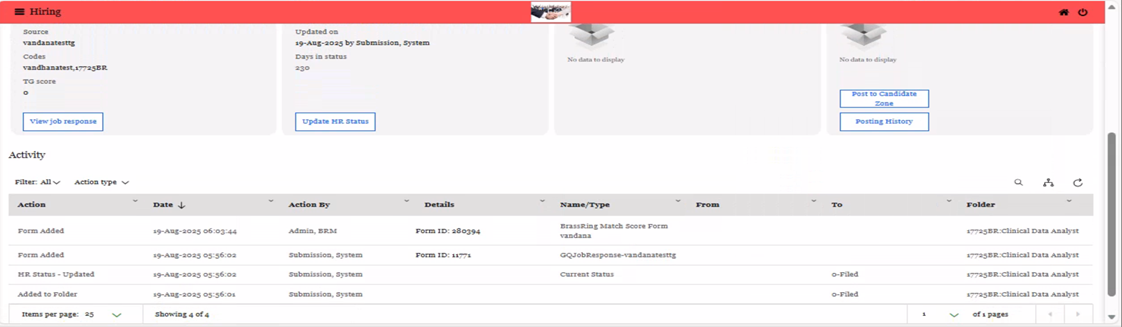
Currently, the requisition and application history in a candidate's talent record is visible to users who are not part of the requisition team. While these users cannot take any action, this visibility still exposes sensitive recruitment information and poses a compliance risk.
With this release, to ensure that only authorized users can access requisition-related data, a new Client Setting called "Candidate Types for Restrict Talent Record" has been introduced in the Workbench application. This setting allows users to enable the “Restrict Talent Record” functionality for the selected Candidate Types. By default, the candidate type "Internal" is selected.
When a different candidate type is selected, users can view their associated requisitions and application history for the candidates linked to that specific candidate type. This update ensures that only authorized users can access requisition-related data.
Note: The user type privilege ‘Restrict Talent Record’ needs to be enabled in ‘Candidate Actions’ for this functionality to work.

Internal Reference Azure Board # 61730
Responsive Recruiter: Job Posting preview – TG Branding
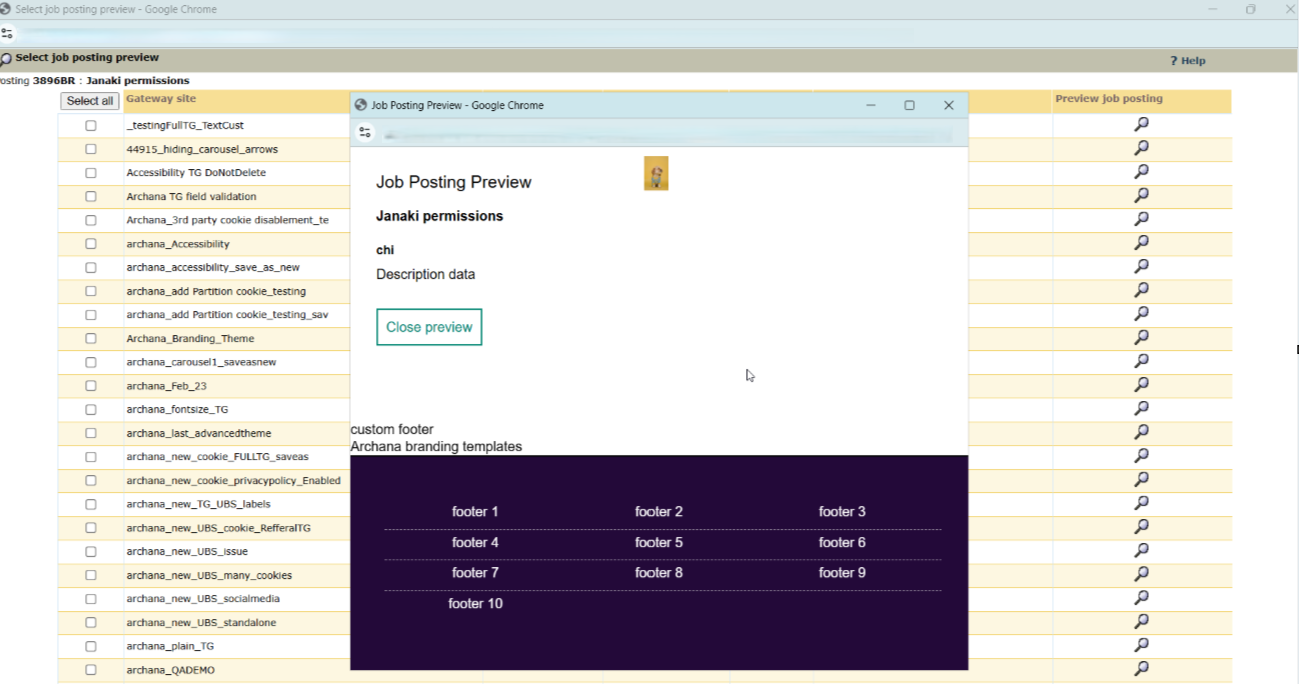
Currently, when the user clicks on ‘Preview job posting’ icon, it opens the Talent Gateway Job Details page; however, the branding for the Talent Gateway is not displayed.
With this release, when users select the "Preview Job Posting" icon, the Job Details page now includes the current branding of the selected Talent Gateway, such as the header, footer, and colour scheme. This enhancement aims to improve the user experience.
Internal Reference Azure Board # 64218
Responsive Recruiter: Add Multiple Candidates
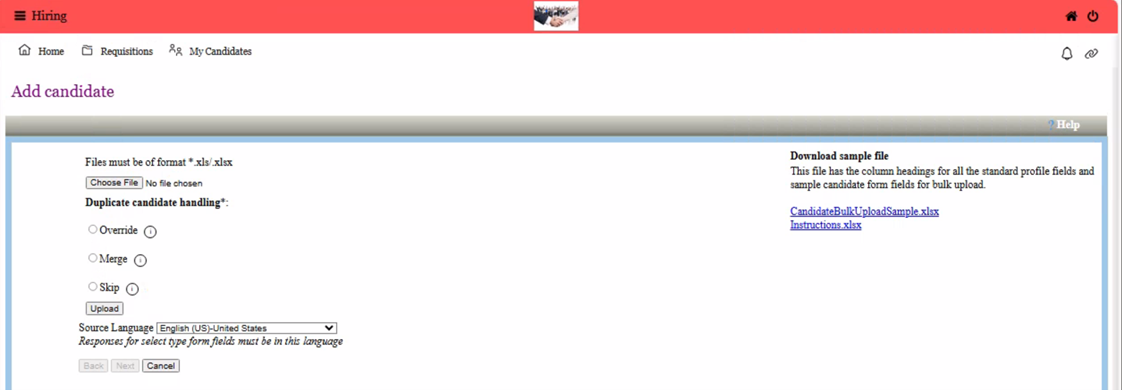
With this release, BrassRing users can upload multiple candidates and download reports in .xlsx format, which supports bulk candidate imports and exports.
A new client setting called "Office File Compatibility Setting" has been introduced with two options:
1) Legacy Format: This option is enabled by default and supports the .xls format.
2) Modern Format (Recommended): When enabled, this option supports the .xlsx format.

Note: Users can upload candidates in both .xls and .xlsx formats, regardless of the selected client setting. However, when the ‘Modern Format’ option is chosen while exporting the results file from the email received by the user, it is generated only in .xlsx format.
Path: Login to BrassRing application >> Hamburger >> Candidates >> Add Candidate >> Add Multiple Candidates
Internal Reference Azure Board # 63356
Talent Gateway: Phone Number Validation
With this release, we are introducing a new client setting in the Workbench application called “Enable US Phone Number Validation.”

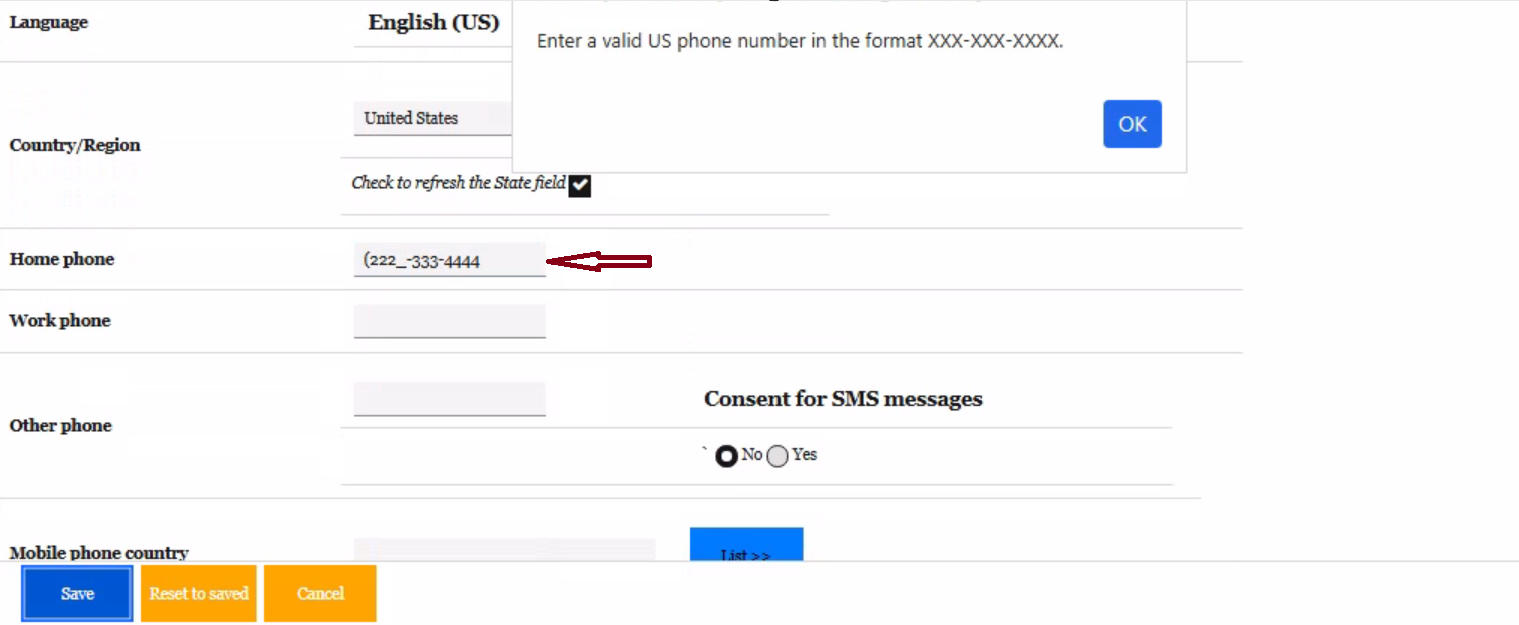
When this setting is enabled, the Phone Number fields (Home phone, Work phone, and Mobile) are validated to ensure they are entered in the correct format: XXX-XXX-XXXX (US-based). This validation helps prevent candidates from entering any text or special characters, ensuring consistency in phone number data.
This validation applies to all phone number fields within the Contact Information section and displays an error message if the format is incorrect. The same validation logic is also applied in workflows such as Candidate Import, TG Profile Import, and the bulk upload of candidates.
Internal Reference Azure Board # 60351
Talent Gateway: Referral Dashboard
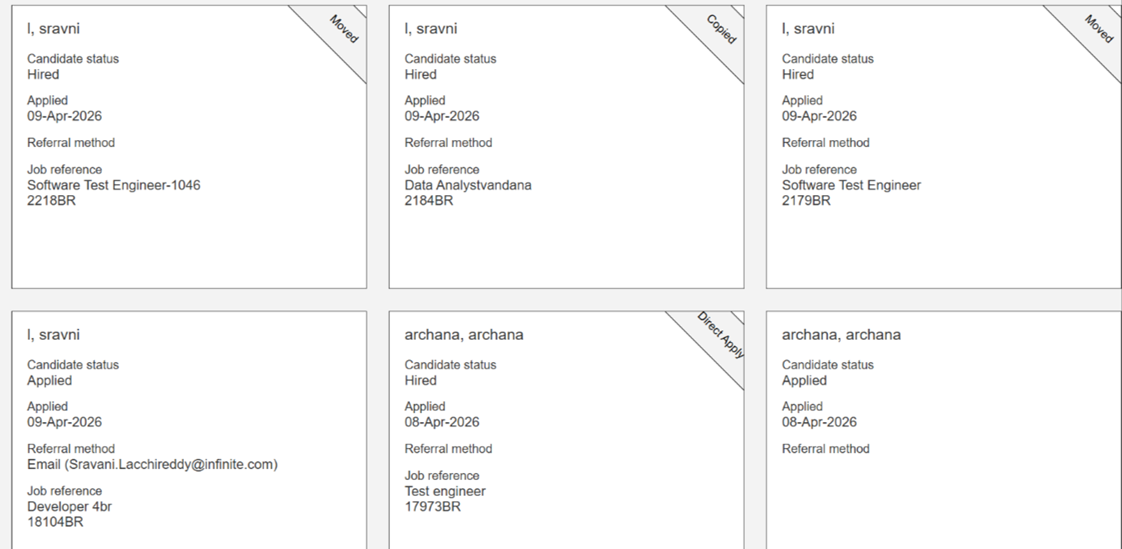
Currently, when an employee refers a candidate, they can only see the details of the requisition to which the candidate has been referred and applied in the talent gateway referral dashboard. Information about other requisitions the candidate may have applied to, whether moved or copied, is not displayed.
With this release, we are introducing a new client setting called “Referrer Application Visibility for Hired Candidates, based on per-candidate referral permissions”. This setting is turned off by default, and clients need to contact an Infinite representative to enable it.

Once activated, this feature allows employees to view all other applications of referred candidates under the following conditions, ensuring employees have complete visibility into the candidate's application journey without needing to contact internal teams for status updates across different requisitions:
The candidate has reached the "Hired" HR status category.
The employee retains visibility as long as they own the referral, even if the candidate has been moved or copied across multiple requisitions.
Referral rights are handled based on the per candidate rights.
The Employee Referral form should include both the ‘Employee Submittal Date’ and the ‘Employee Ownership Expiration Date.’ The referred employee retains ownership rights during this period.
Note: Requisition cards are displayed based on the action taken, such as ‘Direct Apply,’ ‘Moved,’ or ‘Copied.’ If the requisition is not posted on the candidate referral talent gateway, the ‘Refer’ and ‘Resend’ options are disabled.
Path: Login to Referral Talent Gateway >> Candidate zone >> Referrals >> Active referrals
.png)
Internal Reference Azure Board # 57570
Workbench: View Trigger details in RAM logs
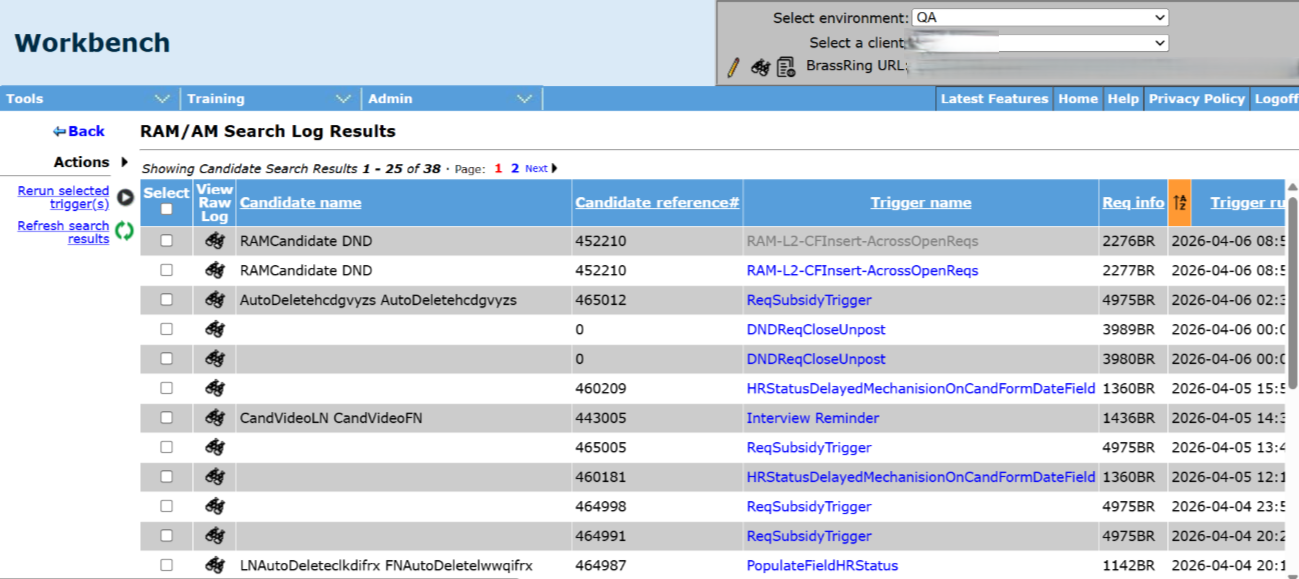
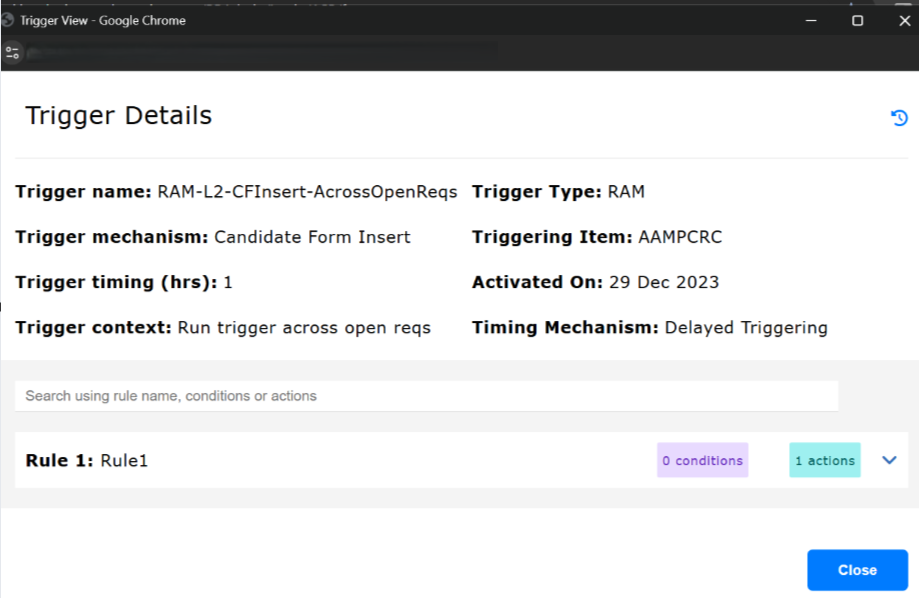
Currently, Workbench users can retrieve and view the RAM logs for each successfully processed RAM trigger. However, to see the details of a RAM trigger, such as the conditions and actions configured for it, they must navigate to the active RAM triggers section.
With this release, Workbench users can now efficiently review the RAM trigger details directly in the RAM logs section. A hyperlink has been implemented, allowing users to click on a RAM trigger name, which opens an enhanced view of the trigger details.
Internal Reference Azure Board # 63525
BRASSRING CONFIGURABLE CHANGES
There are no BrassRing configurable changes for the current release.
BRASSING WORKBENCH CHANGES
The Workbench-related configuration changes in the current release are mentioned in the Visible Changes section.