BrassRing ATS new features for release 26.02.17 are listed here.
BrassRing ATS Dark Launch
Dark Launch features are those that are released to the Staging environment only and are NOT released to the Production environment for a considerable amount of time.
This process gives an opportunity and enough time to test these features thoroughly before they are available in the production environment. Clients are requested to configure and test these features and provide their feedback and inputs to your respective Signal Labs Talent representatives.
There are no Dark Launch features in this release.
BrassRing ATS VISIBLE CHANGES
The BrassRing ATS visible changes for the current release are listed here.
Talent Gateway: Search Jobs page – Candidate Zone
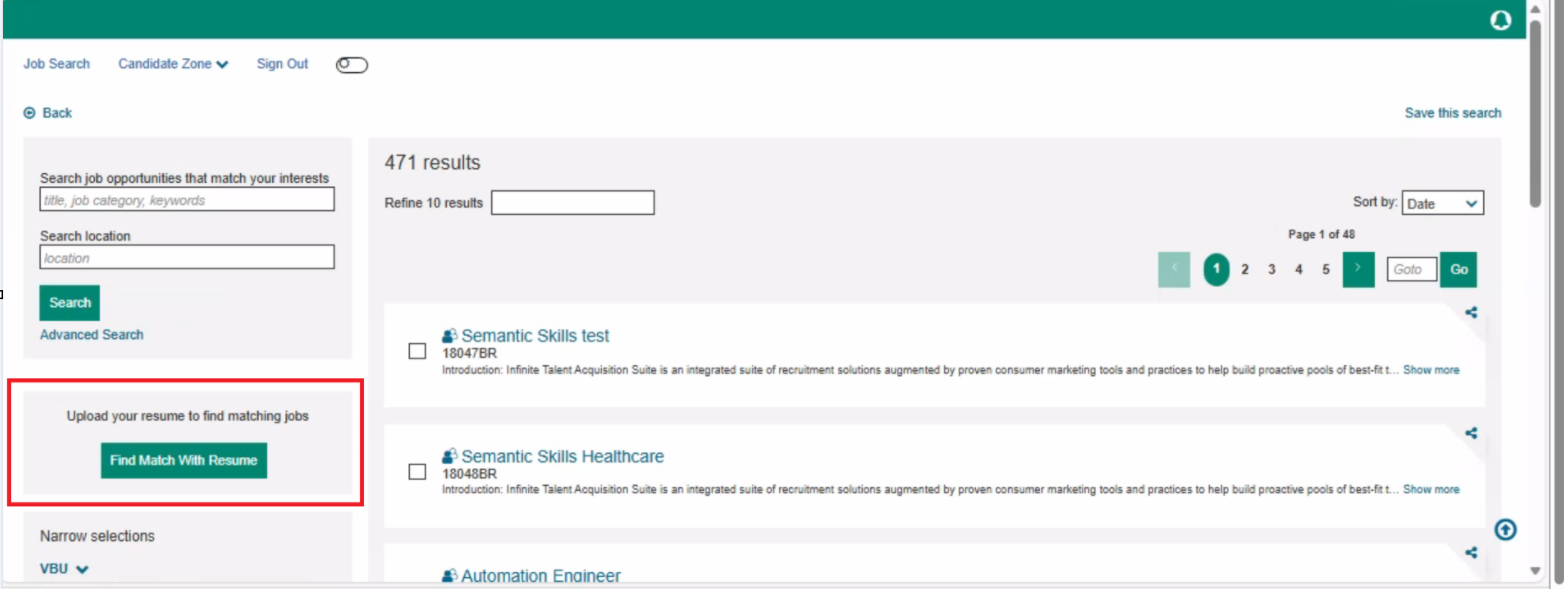
Currently, when the 'Enable Resume Match from Job Search' setting is activated under 'Welcome / Search' in the responsive layout of the talent gateway, the 'Find Match With Resume' button appears on the landing page.
With this release, the feature now extends to the search jobs page in the candidate zone, enabling candidates to upload their resumes and find matching jobs after logging into their talent gateway profiles.
Path: Login to Talent Gateway >> Candidate Zone >> Dashboard >> Click on ‘Jobs’ tab >> Search for jobs >> Find Match With Resume
Internal Reference Azure Board # 59883.
Talent Gateway: Job Search Results Navigation
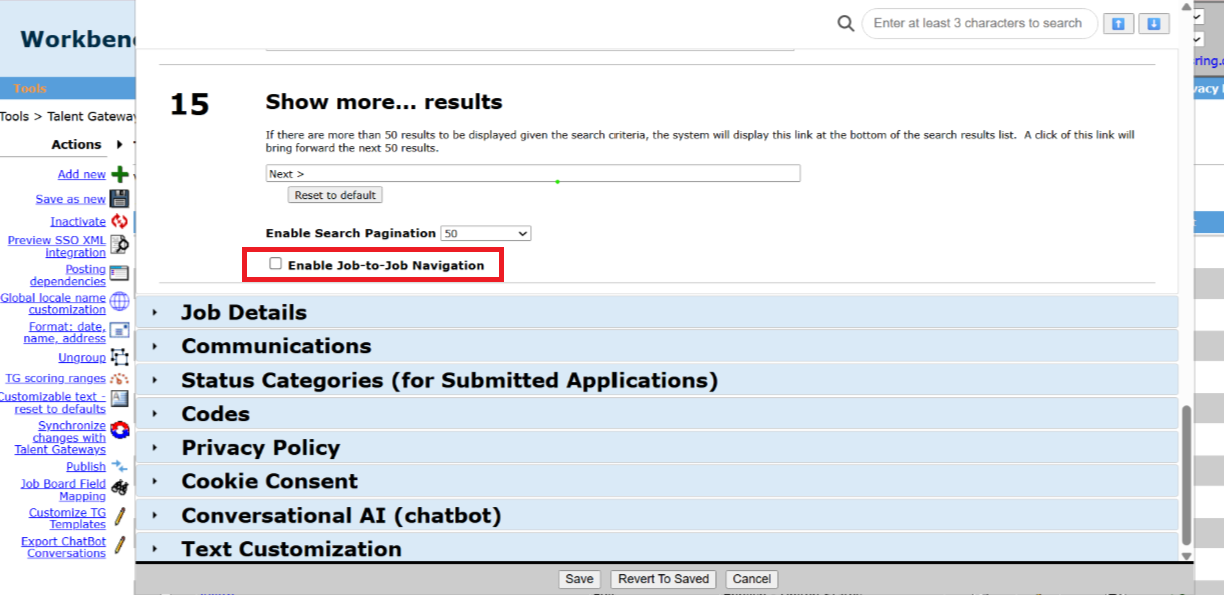
With this release, a new setting called ‘Enable Job to Job Navigation’ has been introduced under ‘Search Results / Job Listing’ in the responsive layout of the talent gateway. This setting allows users to control the navigation behaviour across all browsers and devices, eliminating the need to rely on any CSS modifications made by clients.
By Default, this setting is enabled, and candidates can click/swipe to the next and previous jobs. If this setting is disabled, the next and previous job cards are hidden.
Path: Login to Workbench >> Tools >> Talent Gateway >> Responsive Layout >> Search Results / Job Listing >> Job to Job Navigation
Internal Reference Azure Board # 61804.
Talent Gateway: Persistent Cookie Preference Storage
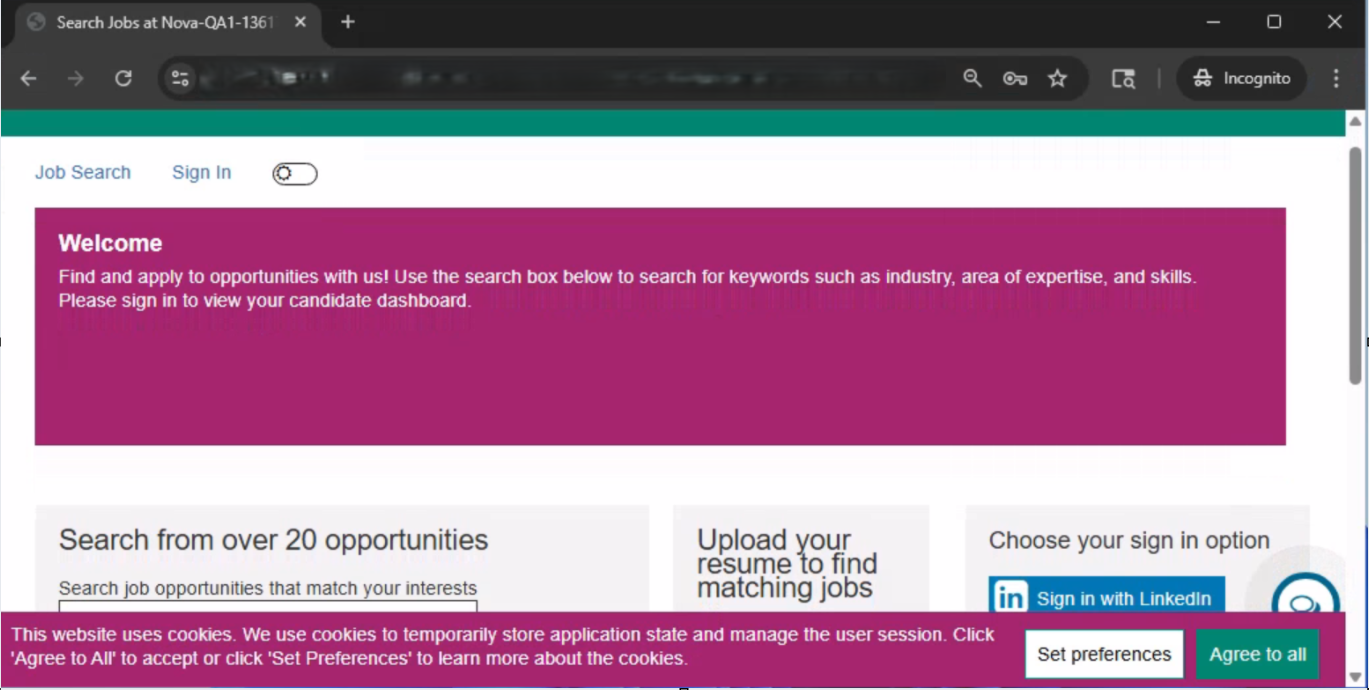
Currently, when enhanced cookie consent information is configured for a talent gateway in the Workbench application, any candidate accessing the talent gateway is presented with cookie preference options, asking them to Set preferences, Agree, or Decline. If the candidate accepts by clicking "Agree to all" and then opens the talent gateway again in a new tab or window, they are shown the cookie consent information again, despite having agreed.
Starting with this release, when a candidate clicks "Agree to all," their cookie preferences are stored for that browser session. The candidate does not need to agree again until their browser session ends or until they clear their cookie history.
Note:
After the candidate accepts the cookie consent information, if a new cookie category is added for a talent gateway in the Workbench application, candidates are presented with the cookie preference information.
The cookie preferences are shown every time a candidate accesses the talent gateway in incognito mode.
Internal Reference Azure Board # 47744.
Workbench: Date Field Configuration
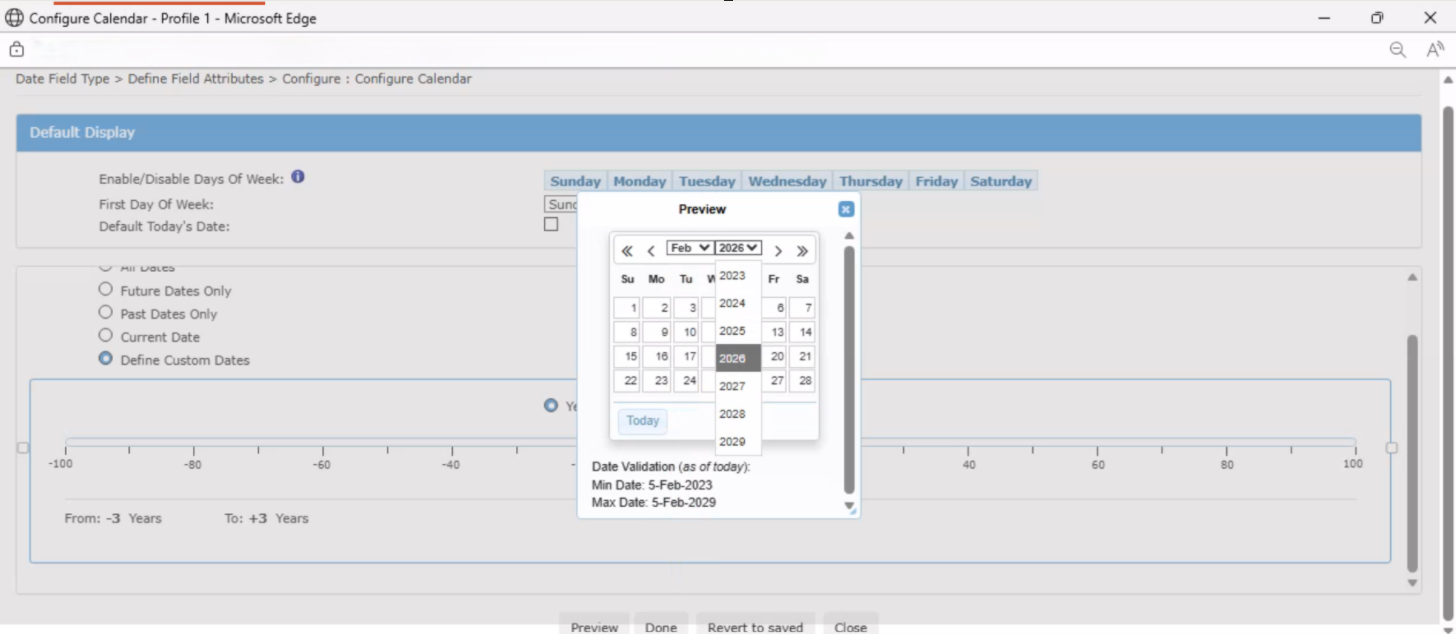
Currently, when Workbench Admins configure the calendar settings for the Date field, they must click ‘Preview’ and then repeatedly click the arrows to navigate through the dates for selection, which is a tedious process.
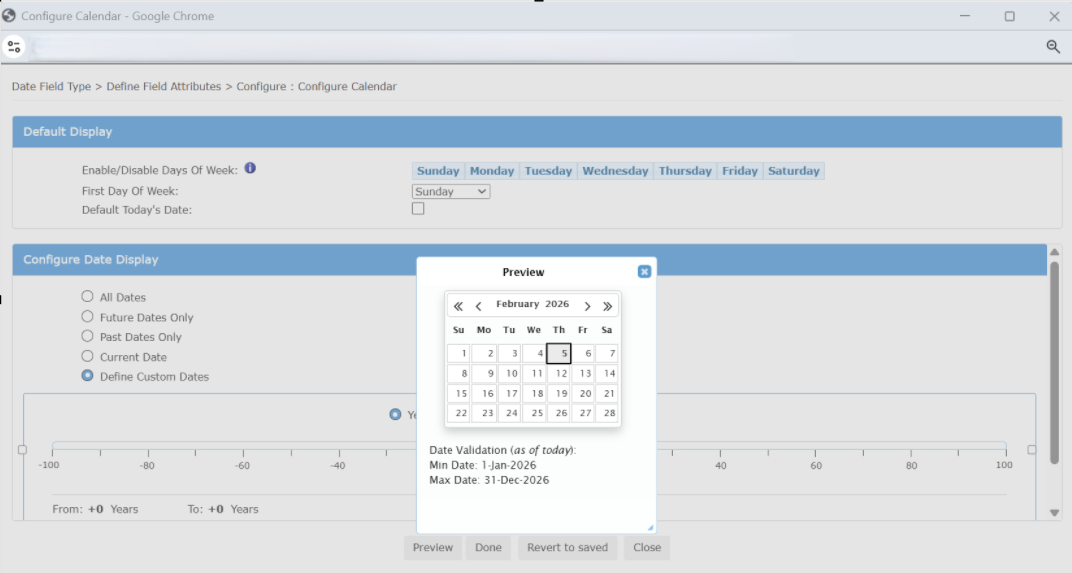
With this release, the Date picker configuration has been enhanced. Users can now select the month and year from a dropdown menu, allowing for quicker date selection without the need to click through multiple arrows.
Internal Reference Azure Board # 62632.
Workbench: Common Services Integration Mapping
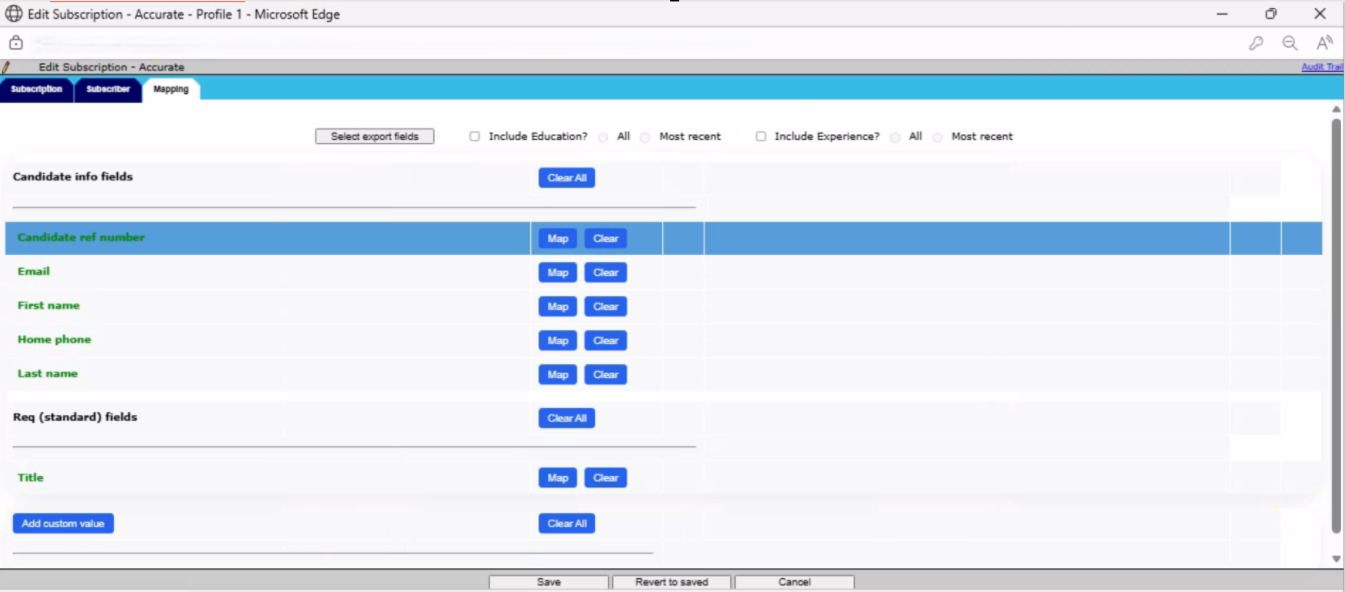
Starting with this release, the Common Services Integration mapping page has been visually enhanced to differentiate each line using gradient variations and to enable a hover effect when hovering over any line.
Path: Workbench >> Tools >> Integrations >> Administration >> Candidate Export >> Subscription Admin >> Edit Subscription Settings >> Click on 'Mapping' Tab
Internal Reference Azure Board # 61360.
BrassRing ATS CONFIGURABLE CHANGES
There are no BrassRing ATS configurable changes for the current release.
BRASSING WORKBENCH CHANGES
The Workbench-related configuration changes in the current release are mentioned in the Visible Changes section.