Abstract
Product: BrassRing ATS on Cloud
Relevant eLearning:
SEND BrassRing ATS CANDIDATES TO BrassRing Lead Manager
Process
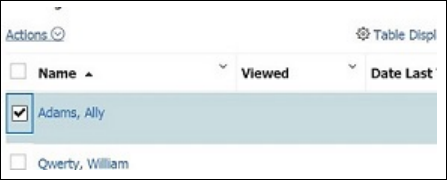
From within a Req folder or the Speed Browse window, select the candidates to move to BrassRing Lead Manager.
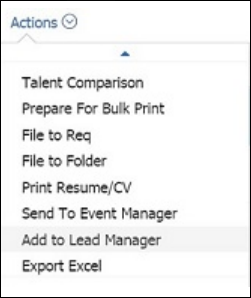
Select Actions > Add to BrassRing Lead Manager.
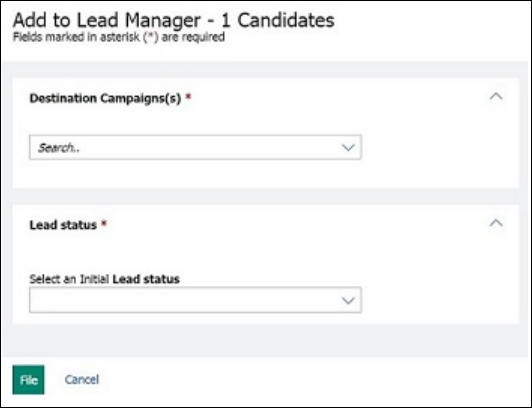
The Add to BrassRing Lead Manager window opens.
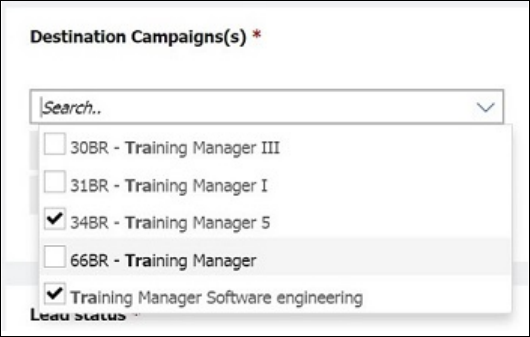
Type the first few letters of the campaign name to add the Leads to.
Check the campaign name to select them.
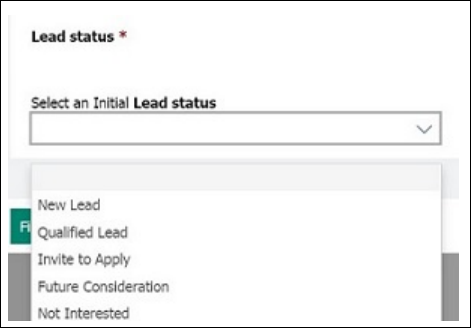
Use the pull-down menu to select a status to apply to the Leads.
Select File.
The Lead Profile opens. Verify the details of the leads, and the campaigns they are associated with, and select Save & View.