Abstract
The Help menu option is provided to allow the user to navigate to the Signal Labs Talent Admin Application Guide in the Signal Labs Talent knowledge Center.
The Signal Labs Talent Knowledge Center is currently accessed via the Admin Help link on the expanded Admin navigation menu for the Admin application.
Expand the Admin navigation menu for the Admin application.
Select the Admin Help menu link. (This opens the BrassRing ATS Platform Admin Application Guide in the Signal Labs Talent Knowledge Center.)
Figure 86. BrassRing ATS Platform Admin Application Guide page in the Signal Labs Talent Knowledge Center
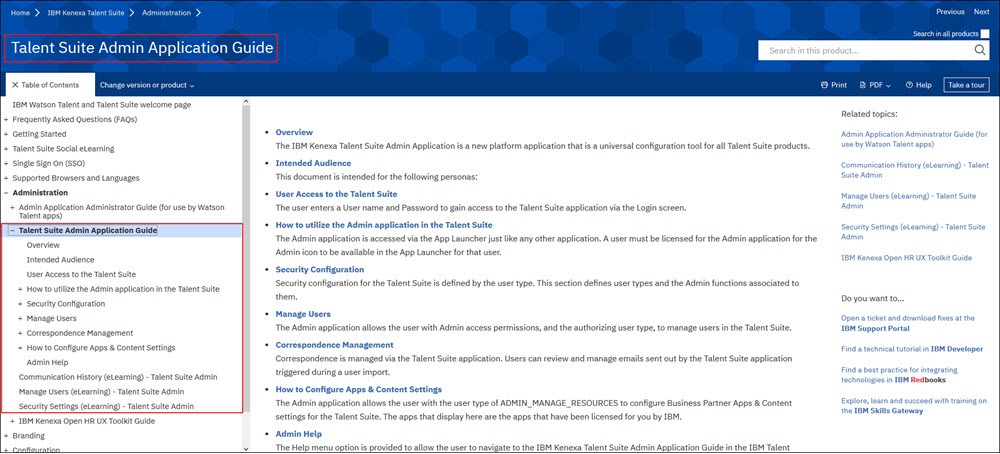
Once the Signal Labs Talent Knowledge Center has been launched, the user can access the various chapters and sections of the Signal Labs Talent Admin Application Guide via the links provided on the User Guide's main page and the Table of Contents menu panel.
If desired, the user can navigate to other SWF products for which they are enabled via the Back to all products link in the Table of Contents menu.