BrassRing ATS new features for release 26.03.17 are listed here.
BrassRing ATS Dark Launch
Dark Launch features are those that are released to the Staging environment only and are NOT released to the Production environment for a considerable amount of time.
This process gives an opportunity and enough time to test these features thoroughly before they are available in the production environment. Clients are requested to configure and test these features and provide their feedback and inputs to your respective Signal Labs Talent representatives.
There are no Dark Launch features in this release.
BrassRing ATS VISIBLE CHANGES
The BrassRing ATS visible changes for the current release are listed here.
Responsive Recruiter: Requisition preview
With this release, BrassRing ATS users can now view a real-time job display preview on the talent gateway while adding, saving as new, or editing requisition workflows by clicking the ‘Eye’ icon located on the right-hand side of the requisition page.
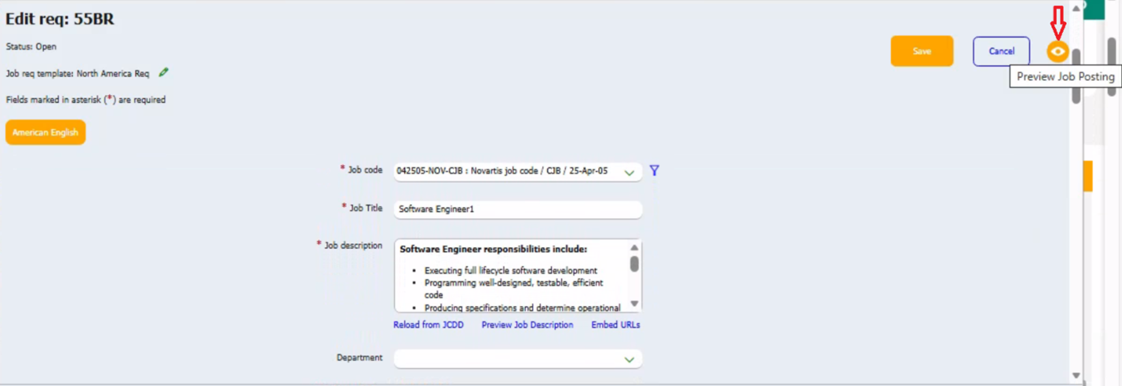
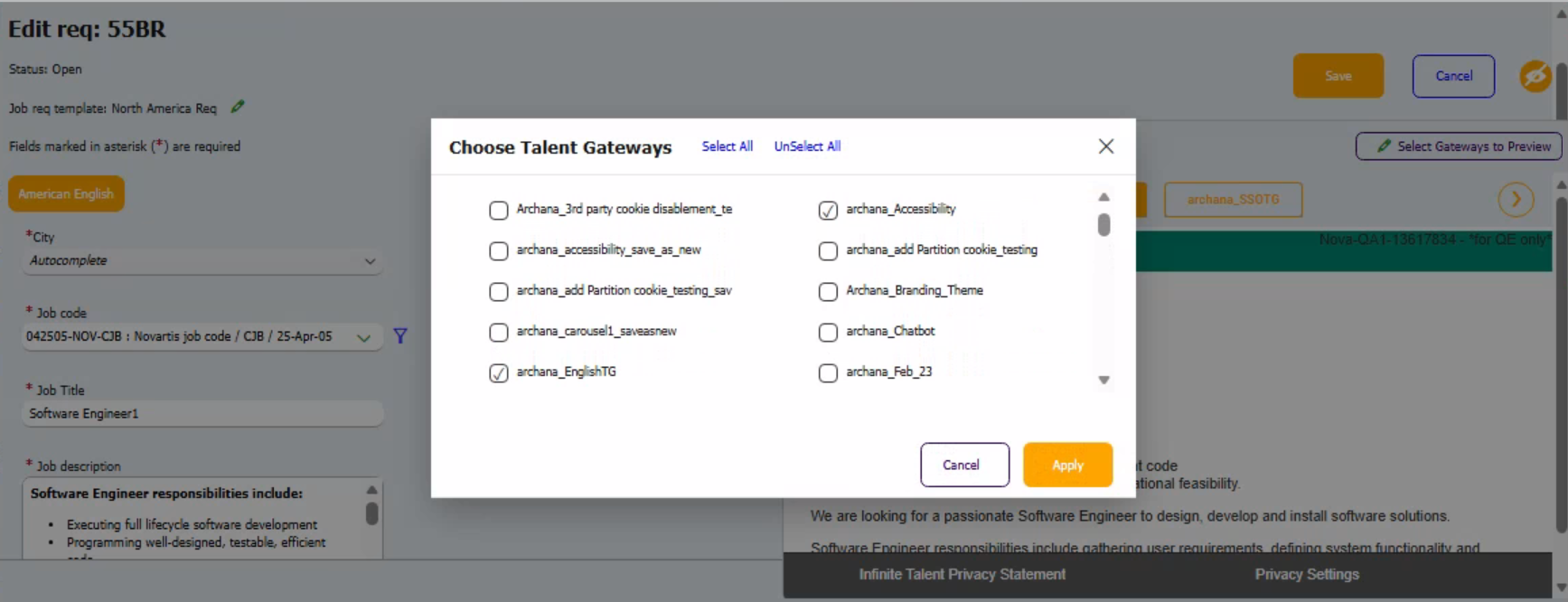
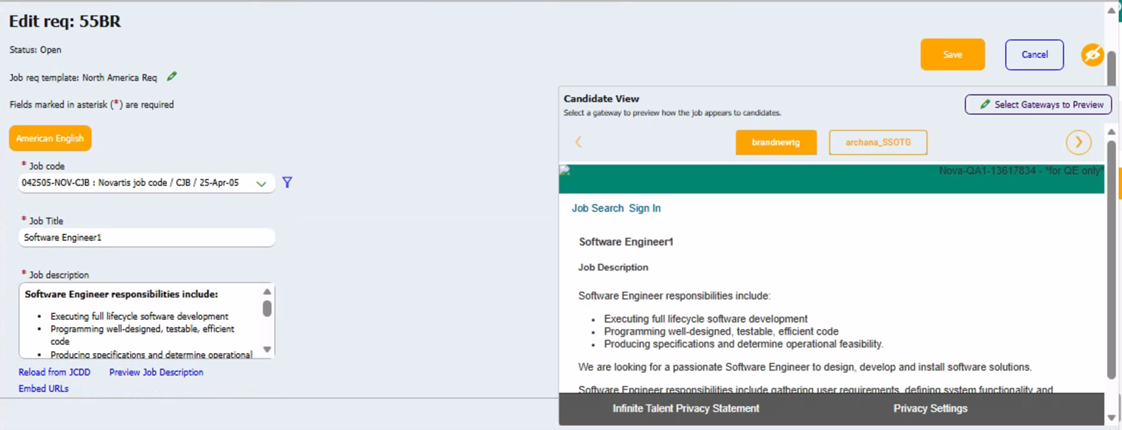
When users select "Preview Job Posting," they can choose any specific talent gateway, select all talent gateways, or deselect all of them before proceeding. On the right side of the screen, a real-time preview of the requisition is displayed, featuring pop-out preview cards for each talent gateway at the top right. Each card is clearly labelled with the name of its corresponding talent gateway, allowing users to easily view the preview for that specific gateway.
The Job Preview displays the language-specific member talent gateway based on the language of the requisition template, rather than the global talent gateway. This ensures that candidates see the appropriate talent gateway. Additionally, any changes made to the requisition field data are automatically updated on the job details preview page of the talent gateway.
Internal Reference Azure Board # 53773.
Responsive Recruiter: Requisition Open Days
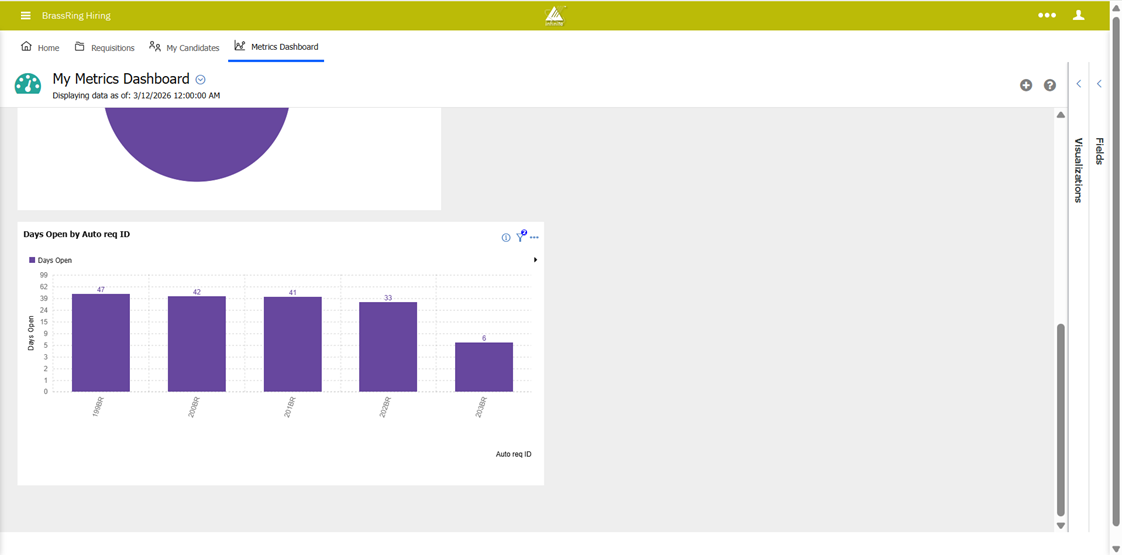
The Data Insight Tool currently provides accurate information on the number of days a requisition remains in an open status by excluding all other requisition statuses.
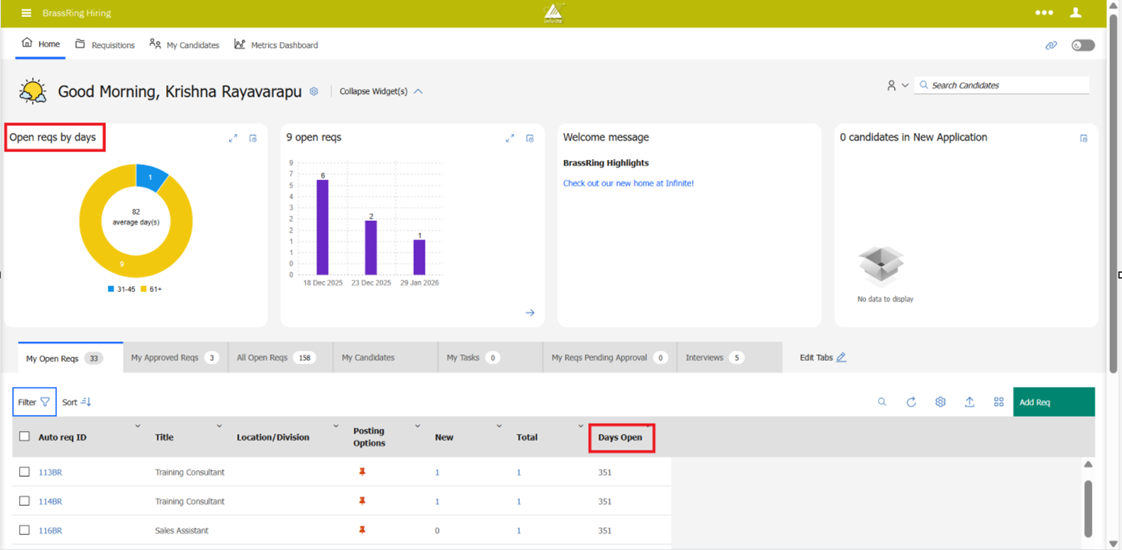
With this release, we are extending the same logic used by the Data Insight Tool to calculate open requisition days across the BrassRing ATS application, including the requisition search feature, the "Open reqs by days" widget, and the Metrics Dashboard, wherever requisition open days are displayed. This implementation ensures that the data reflects only the actual active duration of open requisitions, aligning with client expectations and the Data Insight Tool's behaviour.
Internal Reference Azure Board # 57157.
Responsive Recruiter: Candidate Profile - Contact Details
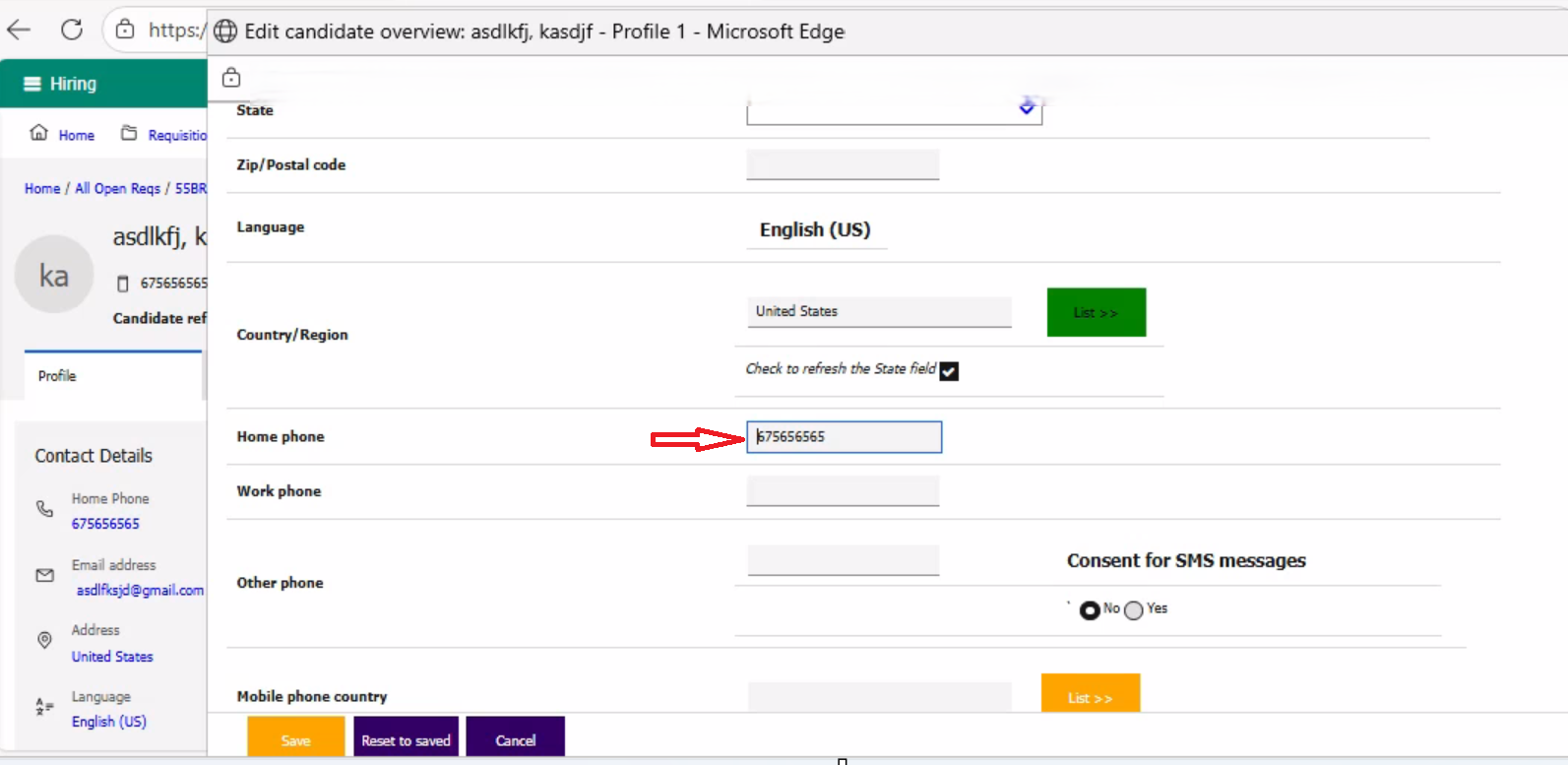
Currently, when a user clicks on any of the candidate contact fields in the candidate talent record, the edit candidate overview page opens. The user then has to search for or scroll to the specific field they want to edit.
Starting with this release, when the user clicks on any candidate contact field, the cursor is automatically placed in that specific field on the edit candidate overview page, allowing the user to easily edit.
Internal Reference Azure Board # 62072.
Talent Gateway: Submit General Referral
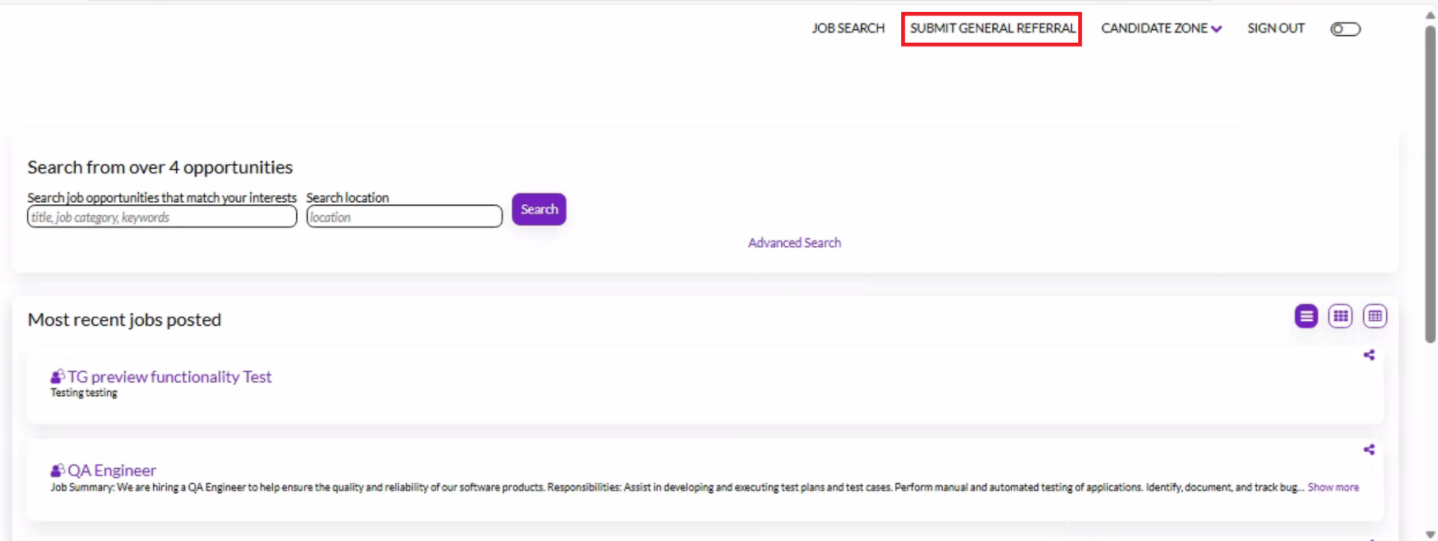
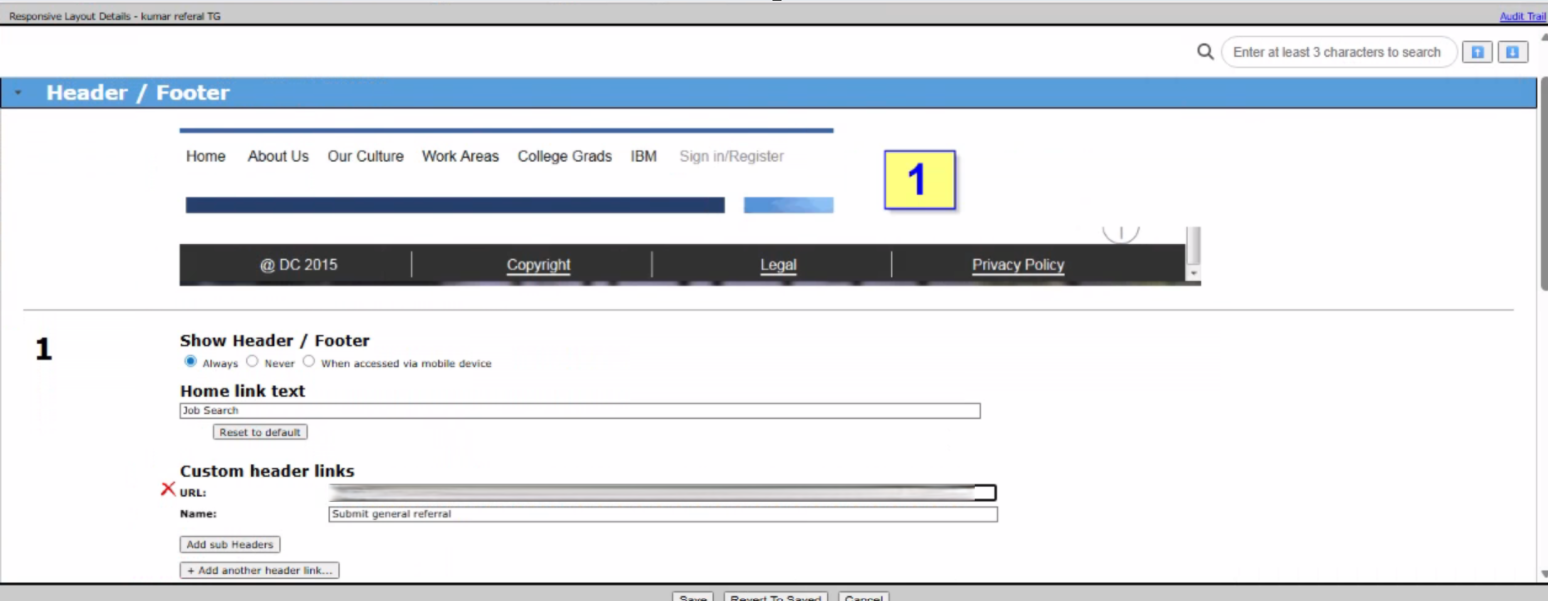
Starting with this release, the Workbench Administrator can configure a 'Submit General Referral' header link in the responsive layout of the referral talent gateway. Workbench Admin can click on the "Refer" button for any job within the referral talent gateway to obtain the URL, which needs to be configured in the header link. By selecting the 'Submit General Referral' header link, the talent gateway directs users to the general referral page, enabling BrassRing ATS users to easily access and submit referral candidates.
Note: The 'Submit General Referral' link is visible in the header for logged-in users who have referral access.
Path: Workbench >> Tools >> Talent Gateways >> Responsive Layout >> Header / Footer >> Custom Header links >> Add another header link >> Add the URL and Name
Internal Reference Azure Board # 62959.
Talent Gateway: Referral – Send via email
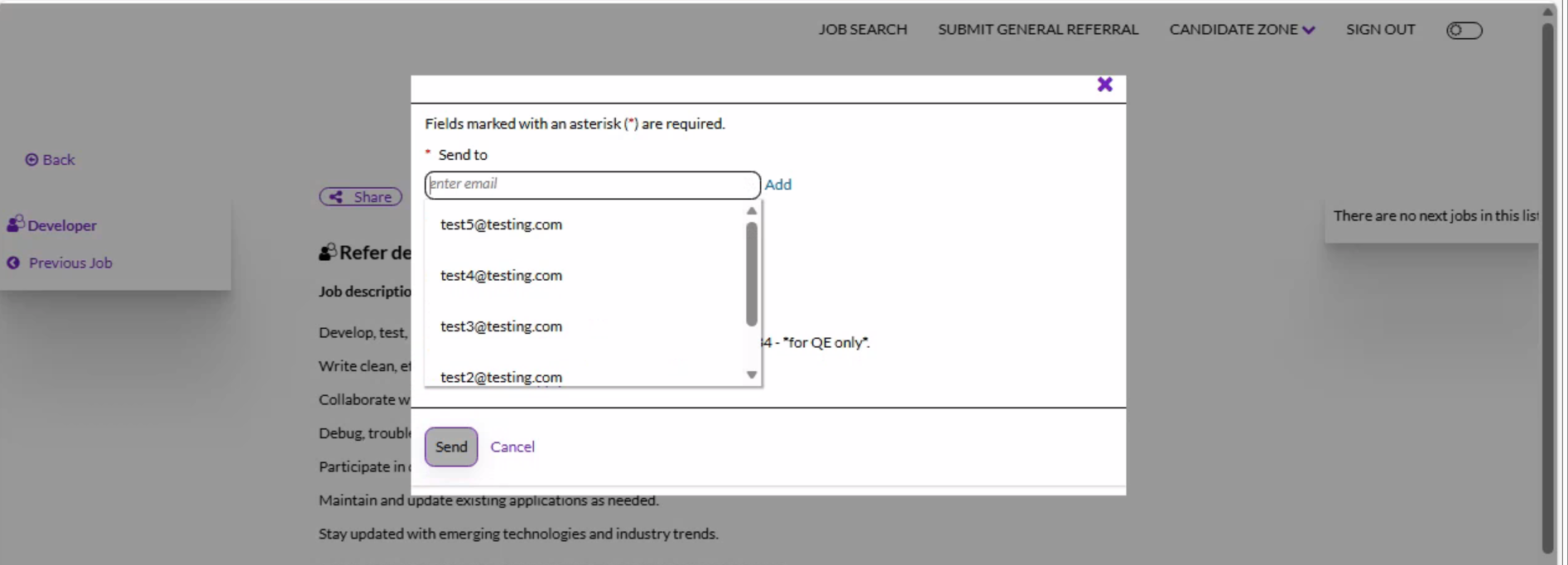
When a user refers a candidate through the referral talent gateway using the “Send via email” option, they currently have to manually type or paste the candidate's email address each time.
With this release, we are enhancing the user experience by auto-populating the email addresses of the last five candidates when using the “Send via Email” feature. This change eliminates the need to re-enter the same candidate information for each referral email.
If no candidates have been previously selected, the “Send to” field remains blank. Users can edit or remove the pre-filled email addresses before sending the referral if needed.
Path: Login to Referral Talent Gateway >> Click on a Job >> Refer >> Submit the Referral Questions >> Select referral method >> Send via email
Internal Reference Azure Board # 60308.
Talent Gateway: New Search field on Home page
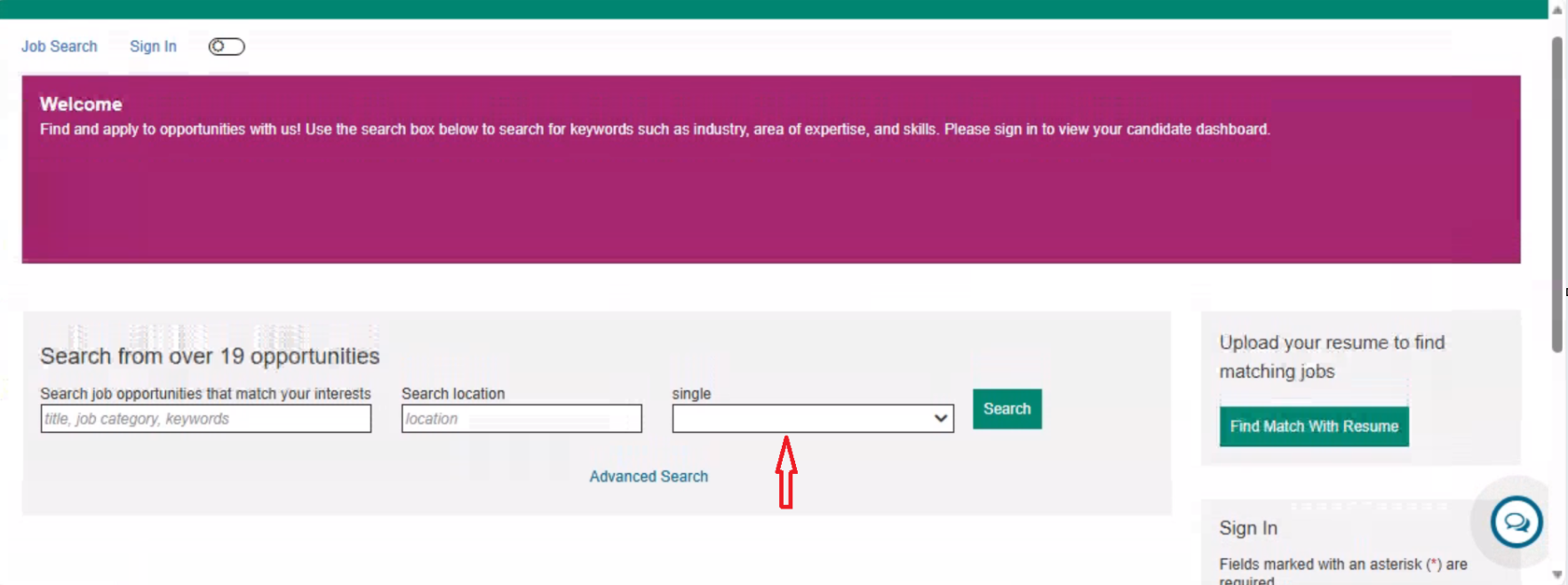
Currently, the talent gateway's home page features a keyword search box and a location search box. To configure additional fields that allow users to refine their search criteria, Workbench Admins must use the Advanced Search option.
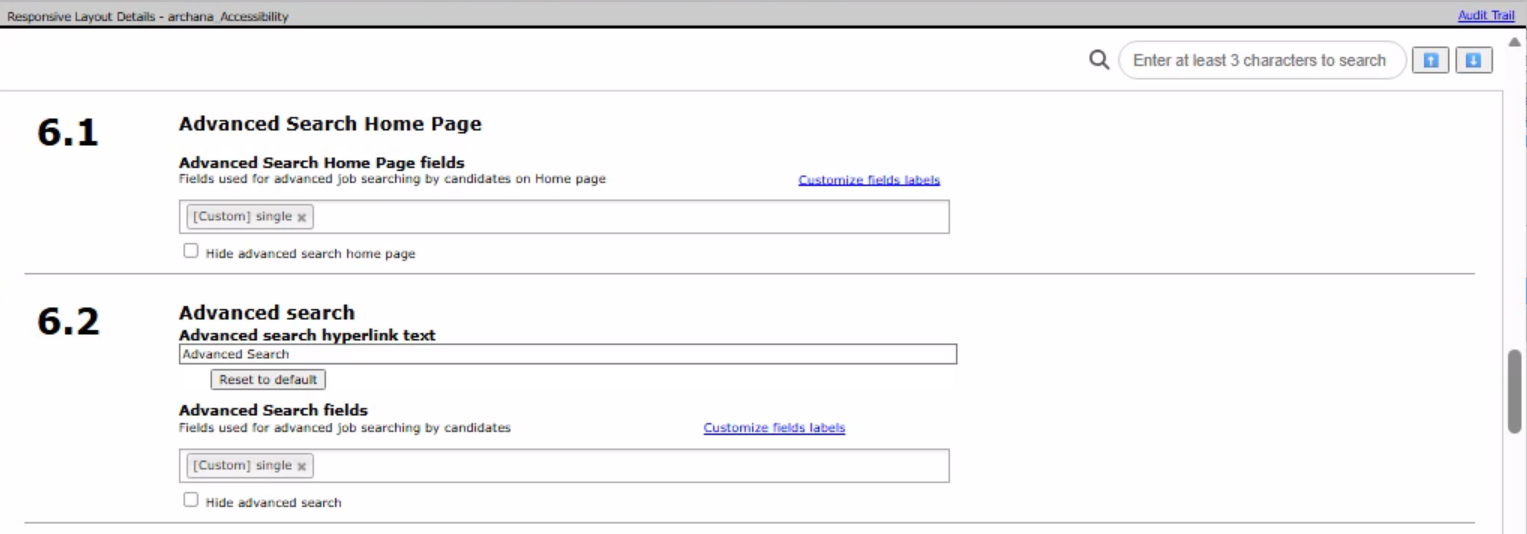
With this release, a new section called "Advanced Search Home Page" has been introduced under the "Welcome / Search" accordion in the responsive layout of the talent gateway. This section enables Workbench Admins to configure fields such as Company, Business Unit, and others, which users can utilize for advanced job searches directly on the talent gateway home page. By default, the "Advanced Search Home Page" is visible, but Workbench Admins have the option to hide it based on client requirements.
Path: Workbench >> Tools >> Talent Gateways >> Responsive Layout >> Welcome / Search >> 6.1 Advanced Search Home Page
Internal Reference Azure Board # 63274.
Recruiter XML Integration: Add Multiple Candidates
Currently, BrassRing ATS users can add multiple candidates, but the system processes them silently, overwriting existing candidate data when duplicates are detected. This behaviour can lead to unintentional data loss and confusion for recruiters. Additionally, different organizations have varying preferences for handling duplicate records, which the current system does not accommodate.
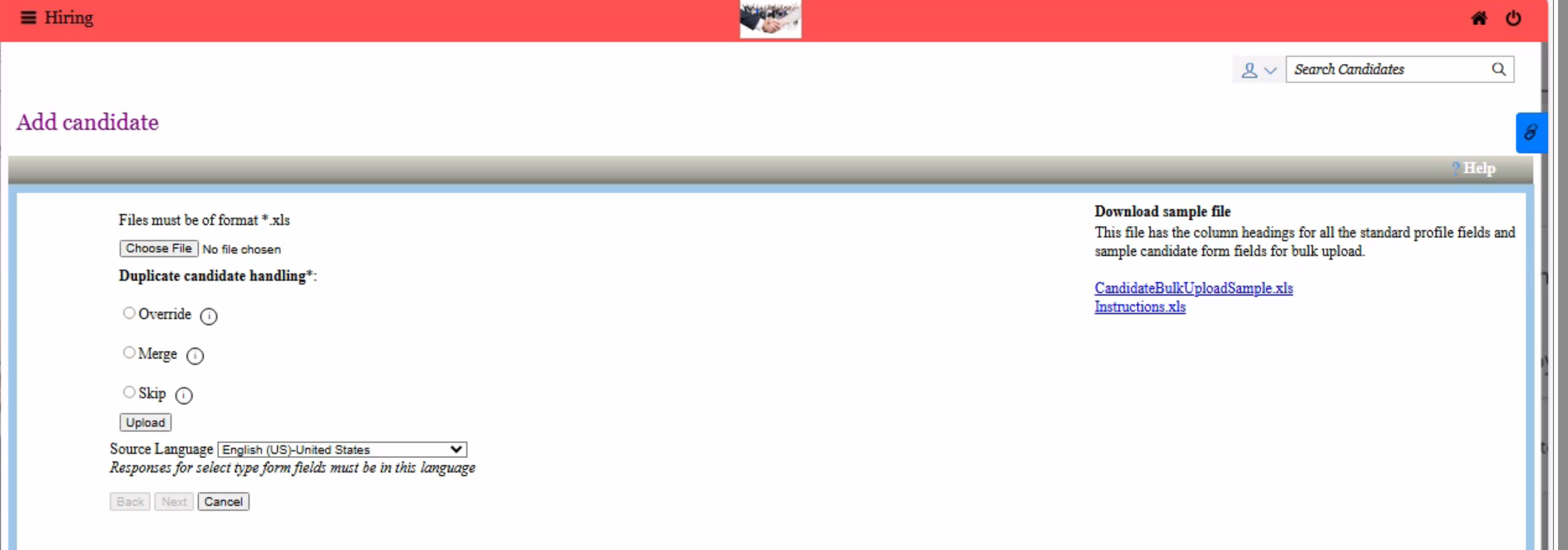
With this release, we have implemented a mandatory duplicate candidate handling functionality that allows BrassRing ATS users to control how duplicate candidate data is managed when adding multiple candidates. This feature aims to reduce the occurrence of duplicate candidate records, improve data integrity, and build trust among recruiters.
While adding multiple candidates, BrassRing ATS users can select one of the following options for handling duplicates. After the candidates are uploaded, users receive an email confirmation containing an Excel file that displays success or failure messages for each candidate record.
Override – Replace existing candidate data with the uploaded data.
Merge – Append candidate data from the upload.
Skip – Ignore the upload and keep existing candidate data.
Note:
A maximum of 3 education records is allowed. If more than 3 records are provided, an error is displayed in the file.
A maximum of 7 experience records is allowed. If more than 7 records are provided, an error is displayed in the file.
A maximum of 50 skills is allowed. If more than 50 skills are provided, an error is displayed in the file.
Path: BrassRing ATS >> Click on Hamburger icon >> Candidates >> Add candidate >> Add Multiple Candidates
Internal Reference Azure Board # 61360.
BrassRing ATS CONFIGURABLE CHANGES
There are no BrassRing ATS configurable changes for the current release.
BRASSING WORKBENCH CHANGES
The Workbench-related configuration changes in the current release are mentioned in the Visible Changes section.