Previously, the email templates were configured by Lead Manager Admin users in the Acoustic application and were sent via the Lead Manager application.
Now, we are enhancing the user experience for Lead Manager by allowing users to configure email templates directly within the platform. This new functionality enables Lead Manager users to utilize predefined or custom email templates, making it easy to launch branded email campaigns. This ensures brand consistency and offers flexibility in email communications.
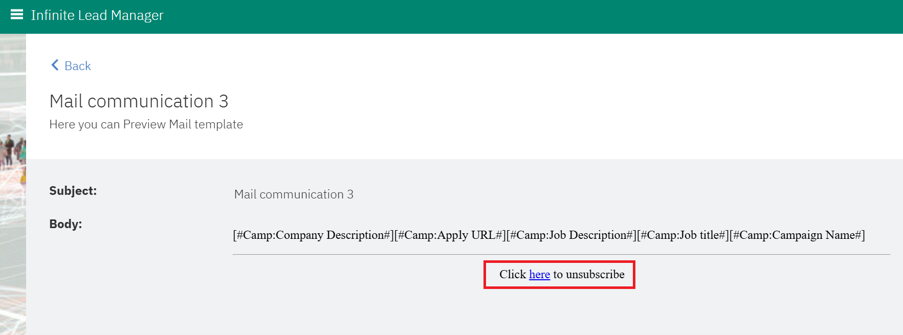
Users can merge Lead and Campaign field tokens when creating new email templates. The email templates also include a 'Preview' feature that is available for viewing.
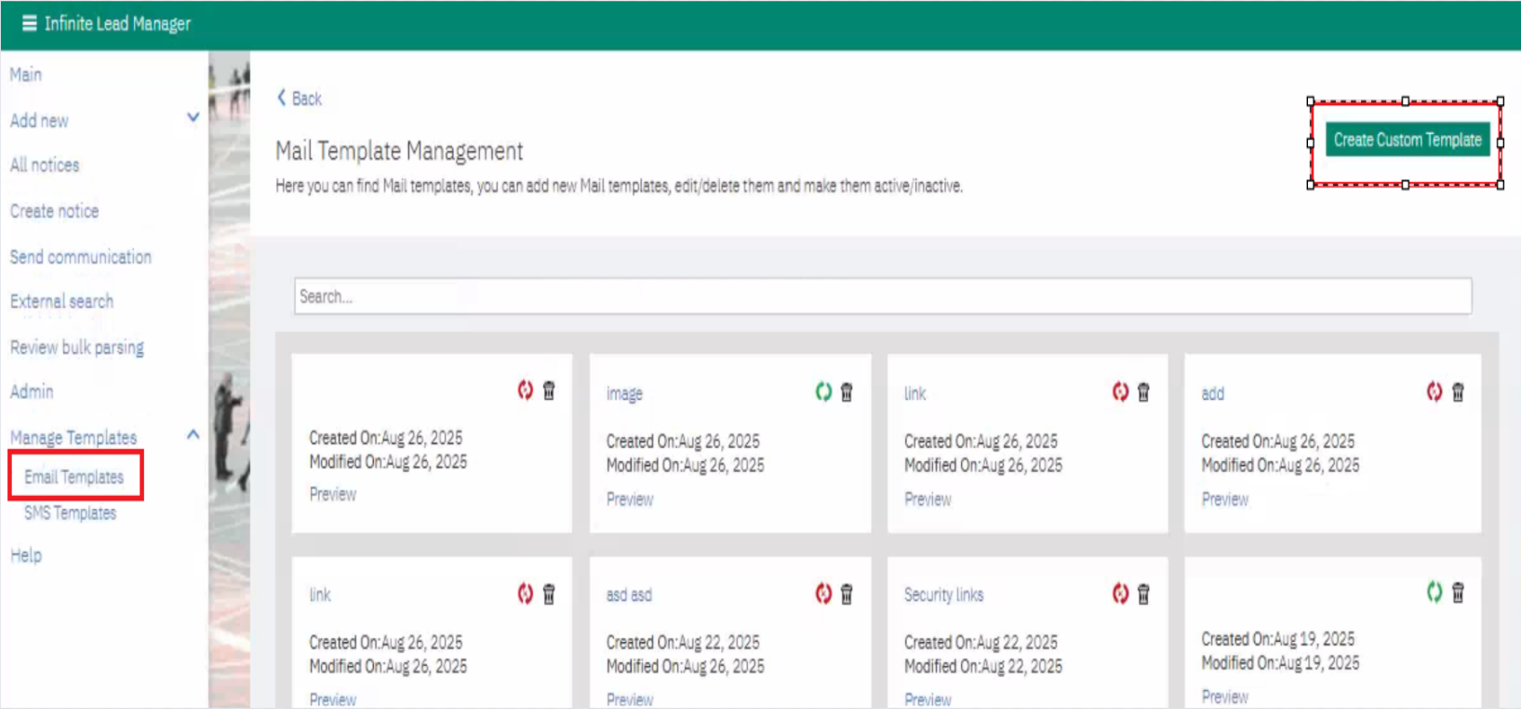
Path: Lead Manager >> Manage Templates >> Email Templates >> Create Custom Template >> New Template
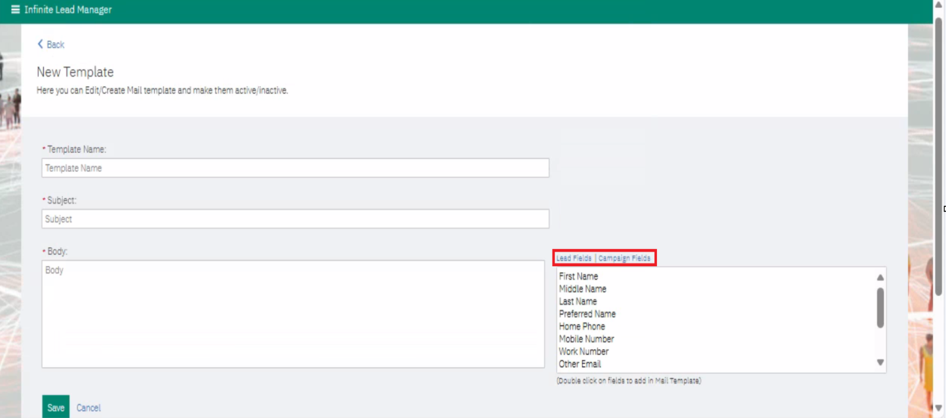
• When creating an email template, the user must select a predefined category.
• Every email template includes a default link that says, "Click here to unsubscribe," and this link cannot be removed to ensure compliance. When a user or lead attempts to unsubscribe, a webpage opens asking them to confirm their decision. After selecting "Yes," a confirmation email is sent to the recipient to confirm their un-subscription.
• If 'Acoustic' is deactivated for a client, they see the email templates created in the Lead Manager.