Abstract
Product: Workbench
Managing BrassRing Lead Manager Users and Setting User Type Permissions
Relevant eLearning:

Process:
Managing BrassRing Lead Manager Users
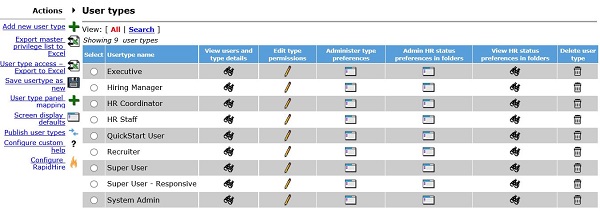
To grant permission for users to access and use BrassRing Lead Manager, in WorkBench, select Tools → Users → User Types.
Select the Edit Type Permissions Pencil Icon for the user type to be updated.
Select the Set Privileges Pencil Icon for BrassRing Lead Manager.
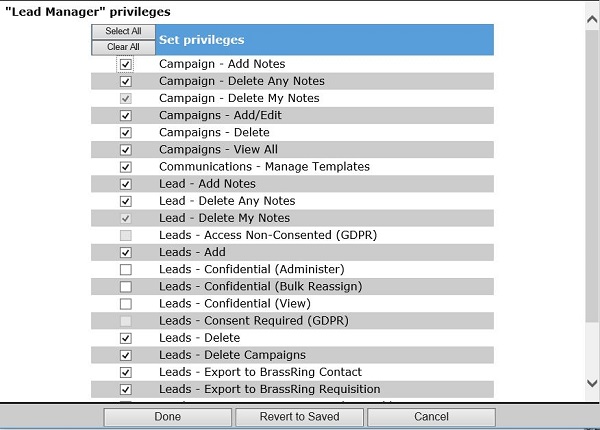
Select the required privileges for that User Type, and select Done.
Select Save.
Adding Access to BrassRing Lead Manager from BrassRing ATS on Cloud
To enable the Menu → Candidates → Search BrassRing Lead Manager menu item in BrassRing ATS on Cloud:
Select Tools → Users → User Types.
Select the Edit Type permissions pencil icon for the User Type to edit.
Select the Integrations 2 Set privileges pencil icon.
Select CRM - general search.
Select Done.
Select Save.