BrassRing Onboard JULY RELEASE
BrassRing Onboard VISIBLE CHANGES
BrassRing Onboard Manager: E-Verify Case Eligibility Status
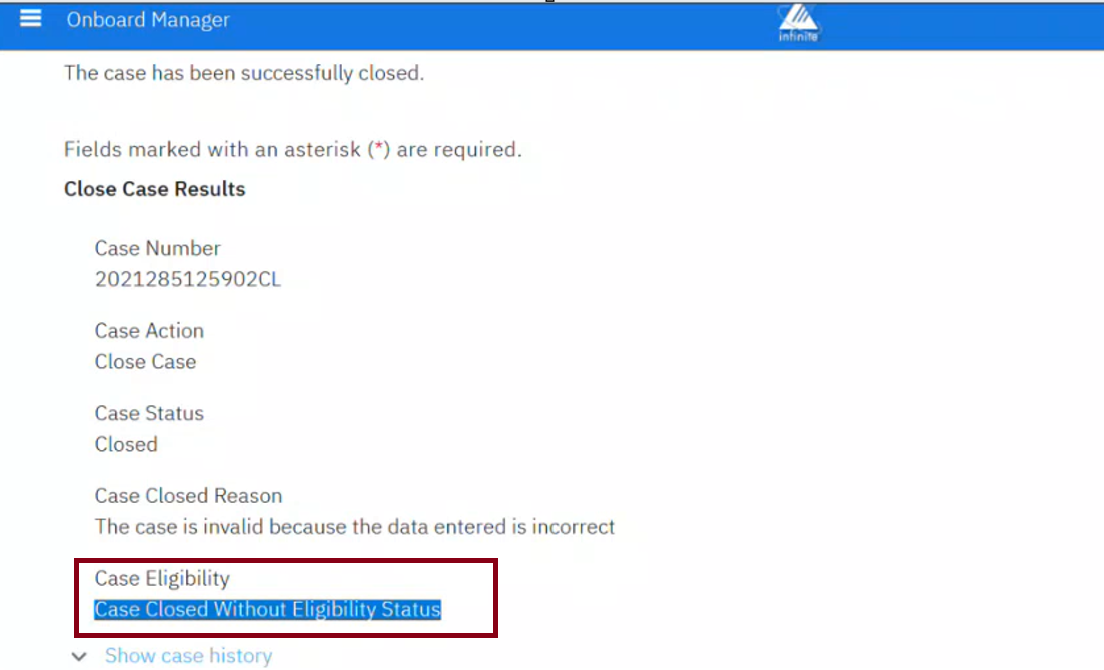
Currently, some E-Verify cases are marked as Closed without providing an Employment Authorized result. This situation can lead BrassRing Onboard Manager users to confusion because the Case Eligibility field is missing.
Starting with this release, for all closed E-Verify cases, if Employment Authorization was granted, the “Case Eligibility” field displays as “Employment Authorized.” If not, it displays as “Case Closed Without Eligibility Status.” This change applies even when the case is closed without a final eligibility determination. This enhancement ensures that the outcome is unambiguous for users.
Internal Reference Azure Board #62181.
BrassRing Onboard Manager: E-Verify – FAN Letters
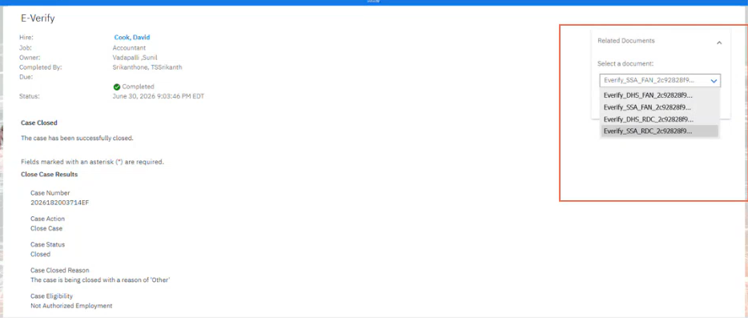
Starting with this release, the FAN letters generated by DHS are immediately stored in the BrassRing Onboard Manager application under the New Hire's E-Verify Task. This ensures that the letters are accessible for viewing and auditing even after the case moves beyond the SSA or DHS FNC steps. The BrassRing Onboard Manager application no longer displays a NULL value for the FAN letter once it has been generated.
The existing functionality for generating and viewing FAN letters remains unchanged. Additionally, appropriate error handling and logging measures are in place for situations where the FAN letter cannot be saved.
Internal Reference Azure Board #67184.
BrassRing Onboard CONFIGURATION CHANGES
BrassRing Onboard Admin: MNH Widgets
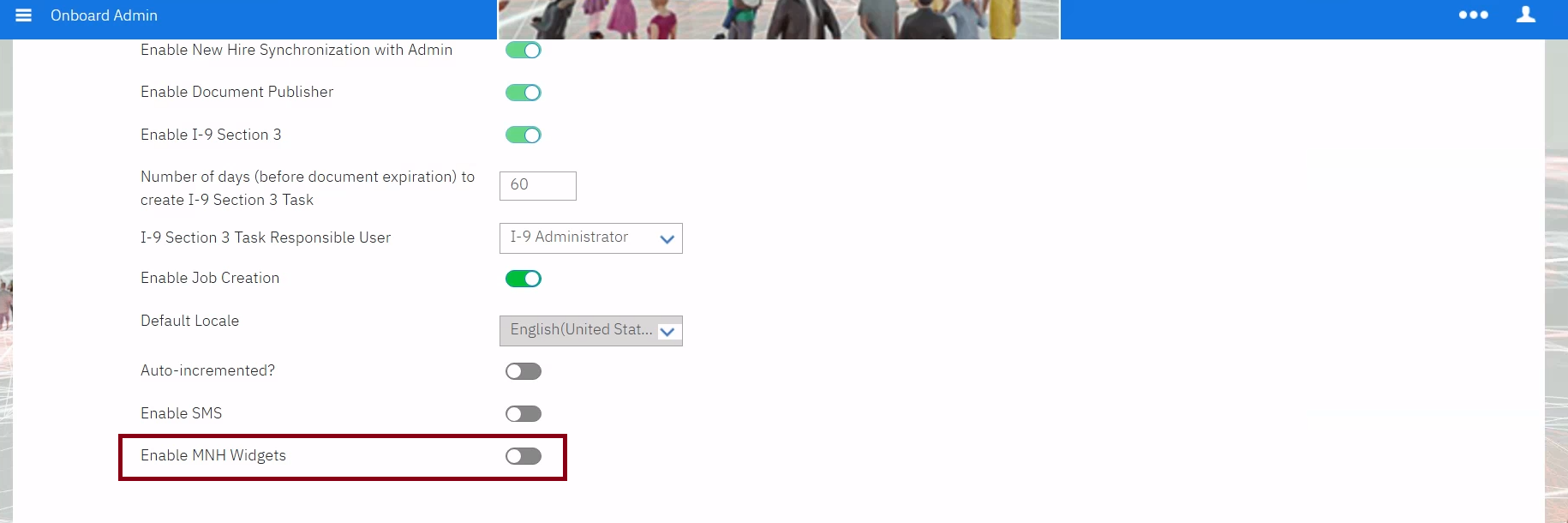
With this release, a new BrassRing Onboard Setting named “Enable MNH Widgets” has been introduced. This setting allows the BrassRing Onboard Admin to enable or disable the “Task Group Widget” on the “Manage New Hires” page.
Path: BrassRing Onboard Admin >> BrassRing Onboard Settings >> Enable MNH Widgets
Internal Reference Azure Board #67234.
BrassRing Onboard Admin: SMS
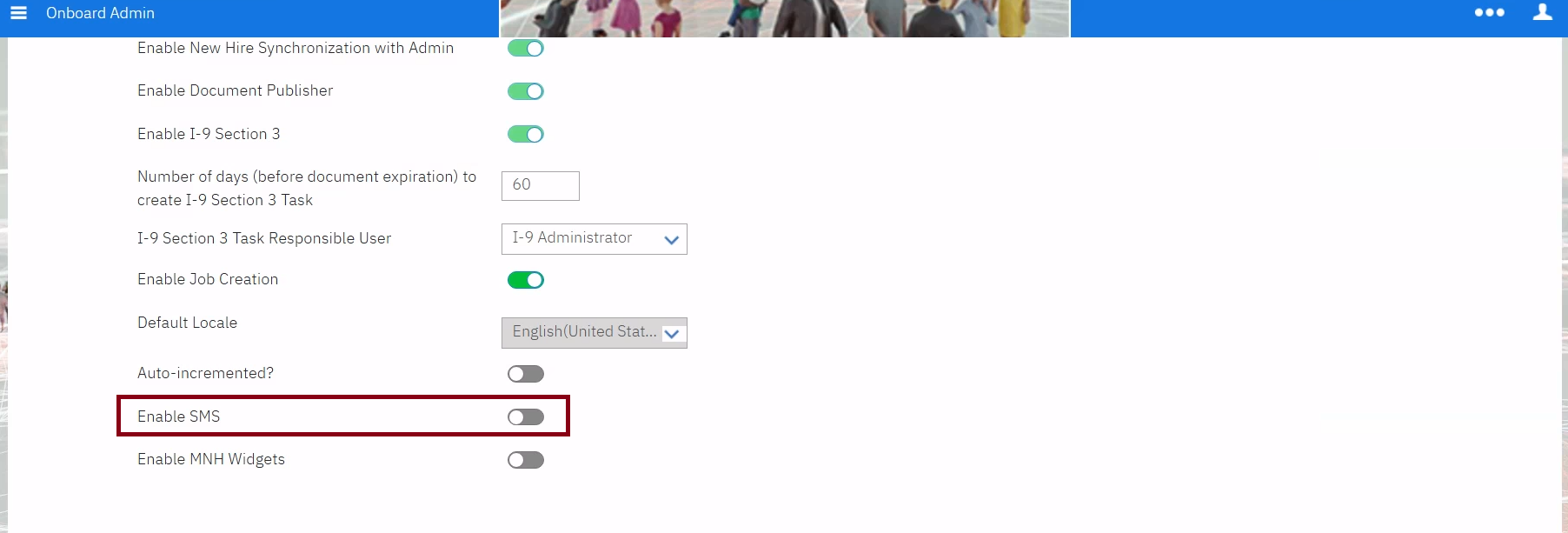
With this release, we have introduced a new BrassRing Onboard setting called “Enable SMS.” This setting is read-only for users. To enable or disable it, clients must contact an Signal Labs Talent representative, who can work internally to make the changes from the backend to allow the use of the SMS functionality in BrassRing Onboard.
Path: BrassRing Onboard Admin >> BrassRing Onboard Settings >> Enable SMS
Internal Reference Azure Board #66889.
BrassRing Onboard FIXED DEFECTS
There are no new defects in the current release.