BrassRing Lead Manager DARK LAUNCH
Dark Launch features are those that are released to the Staging environment only and are NOT released to the Production environment for a considerable amount of time.
This process gives an opportunity and enough time to test these features thoroughly before they are available in the production environment. Clients are requested to configure and test these features and provide their feedback and inputs to your respective Signal Labs Talent representatives.
BrassRing Lead Manager: Sending SMS in Bulk to Leads
Starting with this release, BrassRing Lead Manager users can now send SMS in bulk to the selected Leads in the following flows:
My Leads
Unassigned Leads
Campaign lead count Standard view
Campaign lead Advanced filter view
Path: BrassRing Lead Manager >> Search for a Campaign >> Click on the number of Leads >> Select all the Leads >> Actions >> Send SMS >> Select SMS Template >> Send
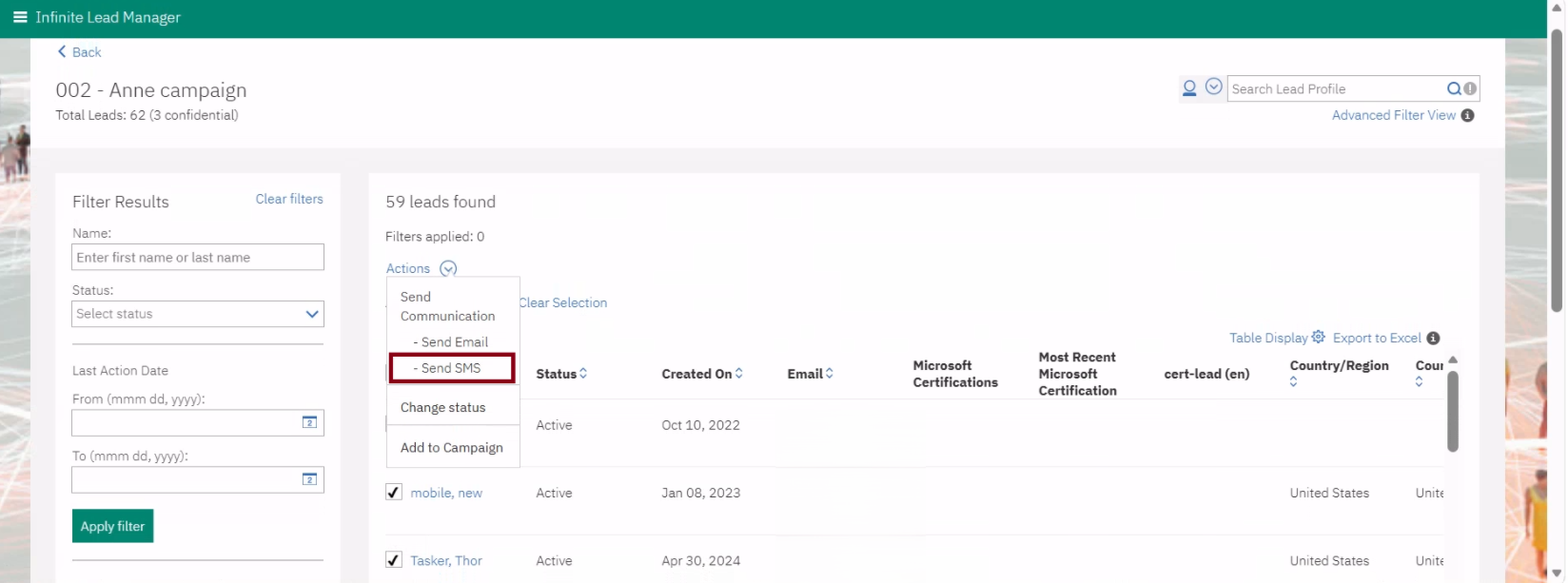
Internal Reference Azure Board # 57051.
BrassRing Lead Manager JULY RELEASE
BrassRing Lead Manager: IP Restriction for Landing Pages
Currently, the landing pages created in BrassRing Lead Manager are accessible to the public because there are no restrictions in place.
With this release, the Workbench Admin can now configure the "Restrict IP Access" field on the landing pages and can add multiple IPs to prevent access from outside the client’s network.
Note: The “Restrict IP Access” field supports a single IP (e.g., 10.10.10.10) or a range like (e.g., 192.168.10.(10-50)) to accept a range like 10 to 50. For a range, no spaces are allowed.
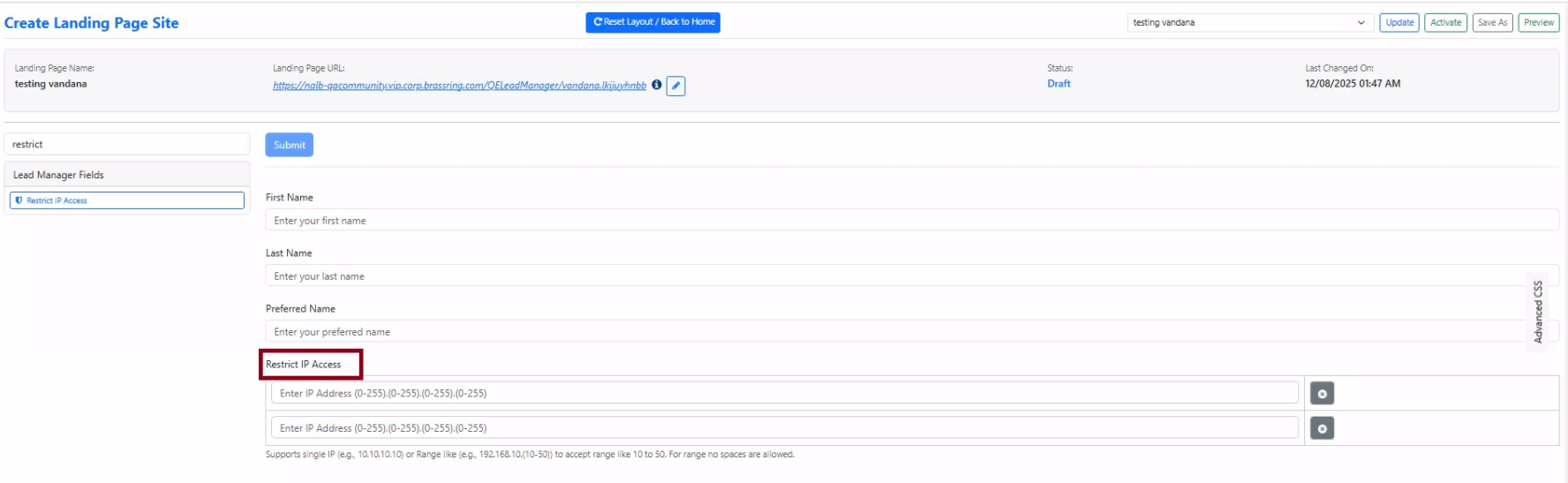
Internal Reference Azure Board # 62744.