BrassRing Onboard VISIBLE CHANGES
BrassRing Onboard: Data Insight Tool
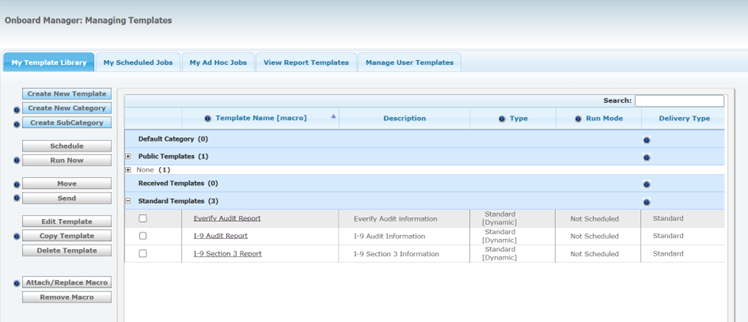
With this release, users of the BrassRing Onboarding application can now access the new BrassRing Onboard DIT Reporting experience. This update transitions all existing BrassRing Onboard reports to the enhanced DIT Reporting interface, which offers:
A modern, intuitive design consistent with the DIT platform.
Improved navigation and usability for easier access to reports.
A unified experience across the reporting suite.
Path: Login to Talent Suite >> BrassRing Onboard Manager >> Click on Hamburger icon >> Report >> BrassRing Onboard Manager: Managing Templates
Internal Reference Azure Board #.
BrassRing Onboard: I-9 Audit Report Capability
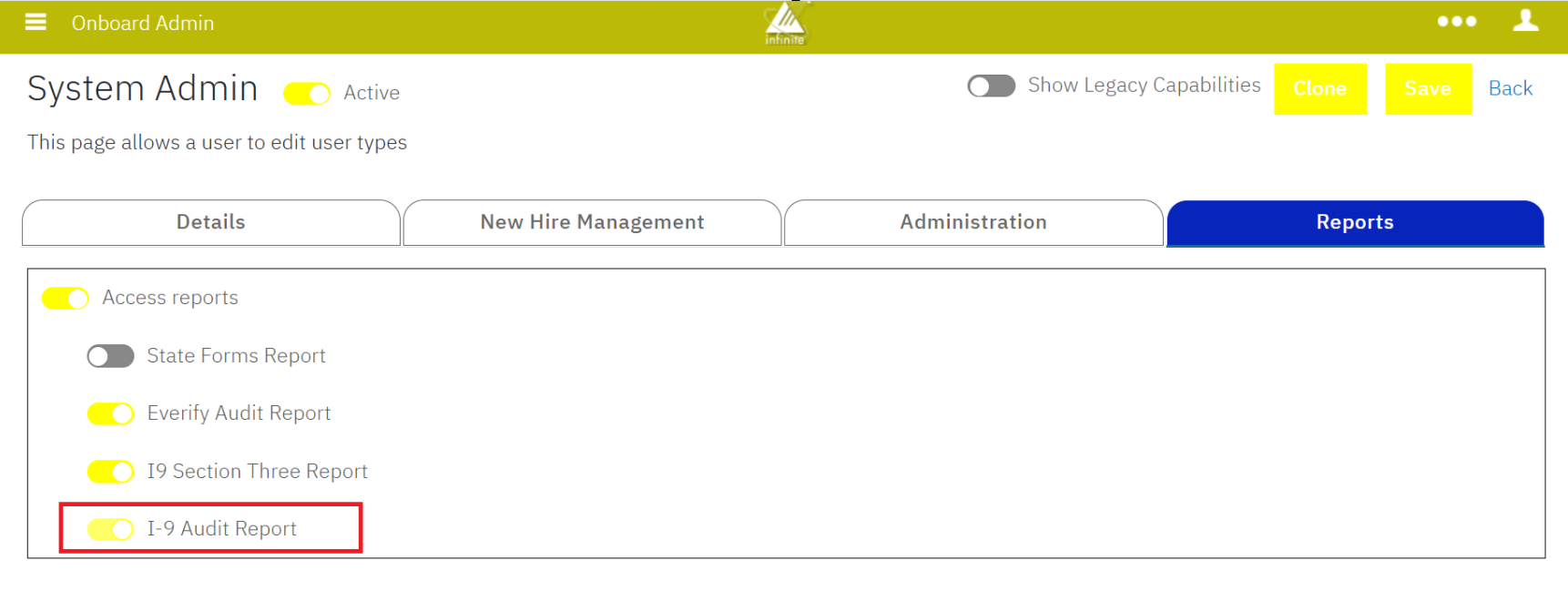
This release introduces a new capability called the "I-9 Audit Report," which can be found in the Reports tab for a specific user type. Once this capability is activated for a user type, users are able to access the "I-9 Audit Report" under the Standard Templates section in the BrassRing Onboarding DIT.
Path: Login to Talent Suite >> BrassRing Onboard Admin >> Click on Hamburger icon >> Manage Users >> User Types >> Select a User Type >> Click on Reports Tab >> I-9 Audit Report
Internal Reference Azure Board #59941.
BrassRing Onboard: I-9 Audit Report
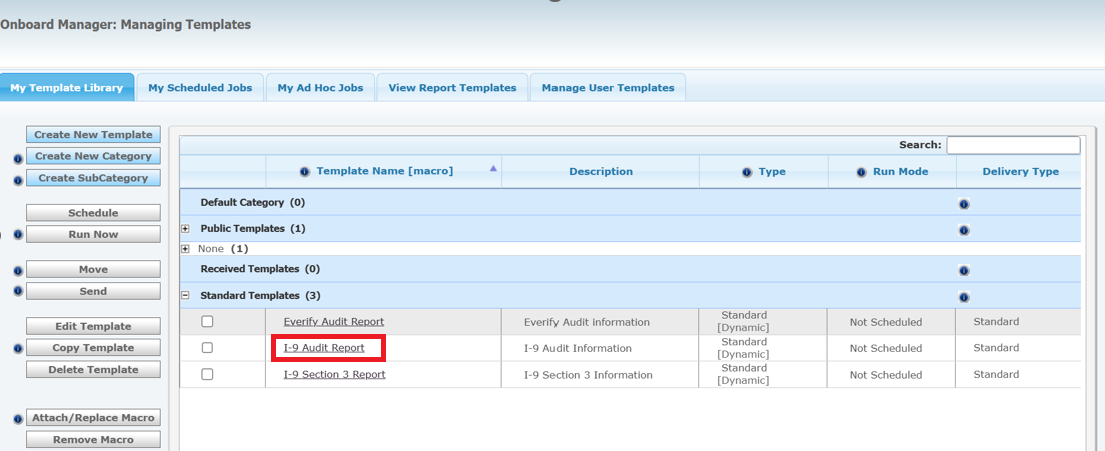
With this release, when an I-9 form is reopened or edited for corrections, the system archives the original forms and data. This archived information can be accessed in the I-9 Audit Report, which displays the previous completed versions of updated I-9 forms and their associated data for BrassRing Onboard users.
Path: Login to Talent Suite >> BrassRing Onboard Manager >> Click on Hamburger icon >> Report >> BrassRing Onboard Manager: Managing Templates >> Standard Templates >> I-9 Audit Report
Internal Reference Azure Board #59894, 56079.
BrassRing Onboard: State Forms
The following State Tax Forms are updated and available.
Canada Alberta TDI
Canada British Columbia TDI
Canada Manitoba TDI
Canada New Brunswick TDI
Canada New Foundland TDI
Canada Nova Scotia TDI
Colorado Affirmation Form
Connecticut CT-W4
Kentucky 42A804
Maryland MW-507
Canada Quebec TP10153
New York IT-2104
Arizona WEC
California DE4
South Carolina SC W-4
Internal Reference Azure Board # 64295.
BrassRing Onboard CONFIGURATION CHANGES
There are no new configuration changes in the current release.
BrassRing Onboard FIXED DEFECTS
There are no new defects in the current release.