ONBOARD VISIBLE CHANGES
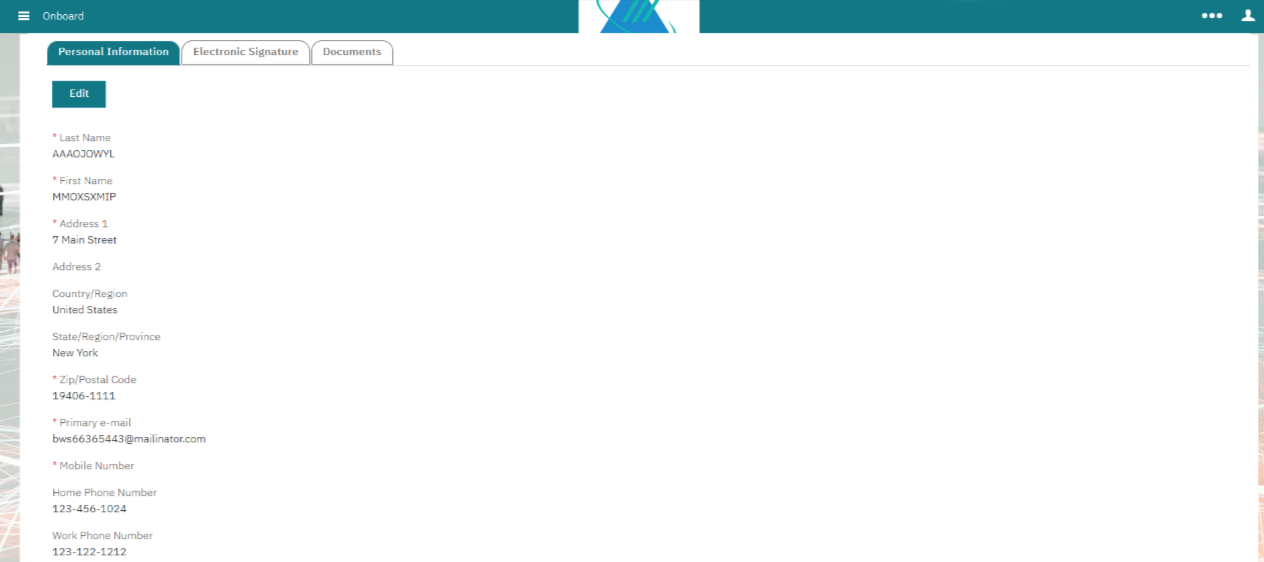
Starting with this release, new hires can edit the following default fields in the "Personal Information" tab during the onboarding process, even if these fields are not configured in the field sequence page. This change allows them to ensure that all details are accurate and up-to-date, helping to prevent any errors that could hinder their onboarding experience. Overall, this implementation enhances the onboarding process for new hires, making it smoother and more efficient by minimizing potential mistakes.
First Name
Last Name
Address 1
Country
State
Zip
Primary e-mail
Internal Reference Azure Board #50905
Onboard: New Hire – CRUID
Currently, new hires that are manually created in the Onboard system do not have a CRUID assigned to them. This lack of assignment causes issues when these new hires are eventually sent from BrassRing to Onboarding.
With this release, if the CRUID is empty and the applicant's data matches with the BrassRing and Onboarding systems, alongside the TS Admin sync and SSOID, we update the CRUID from null to the provided value when the candidate is sent through the BrassRing to the Onboarding integration. However, if the candidate already has an associated CRUID, we do not perform any updates.
Internal Reference Azure Board #62668
Talent Suite: Admin Help
Currently, when a user is logged into the Talent Suite as a Hiring Manager, Recruiter, or New Hire, the 'Admin Help' option is shown, even though it is not relevant to these roles.
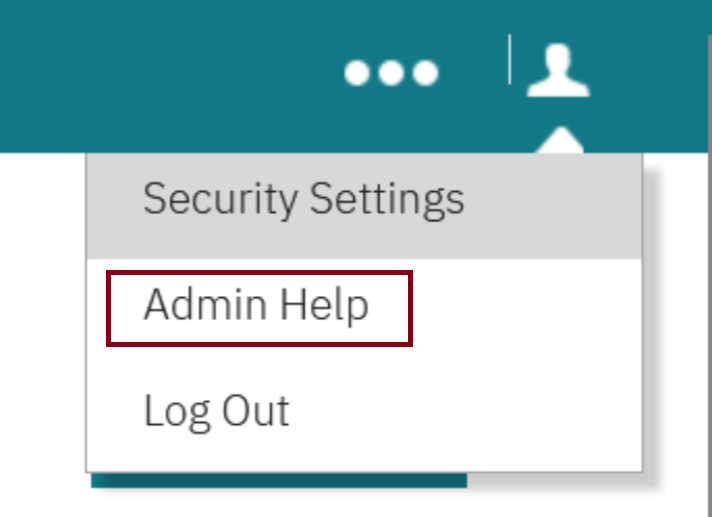
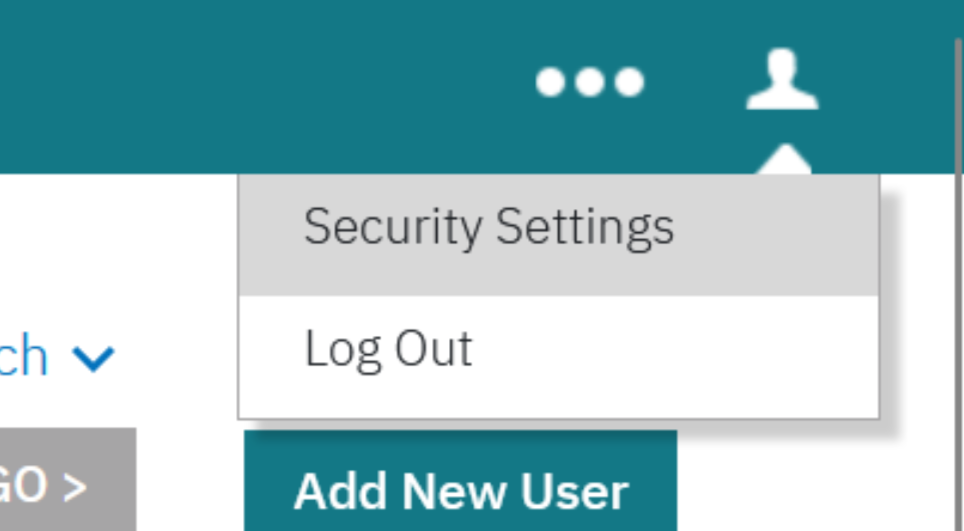
With this release, the 'Admin Help' option is displayed only to users who have an Admin license enabled, and it is disabled for ‘Non-Admin’ users.
Path: Login to Talent Suite >> Click on the human icon on the top right-hand side >> Admin Help
When the Admin license is enabled:
When the Admin license is disabled:
Internal Reference Azure Board #51702.
Talent Suite: Export Users
When exporting a large number of users, specifically when the count exceeds 100,000, the process can take several days—up to 7 days, in some cases. Currently, there is no way to track the export progress.
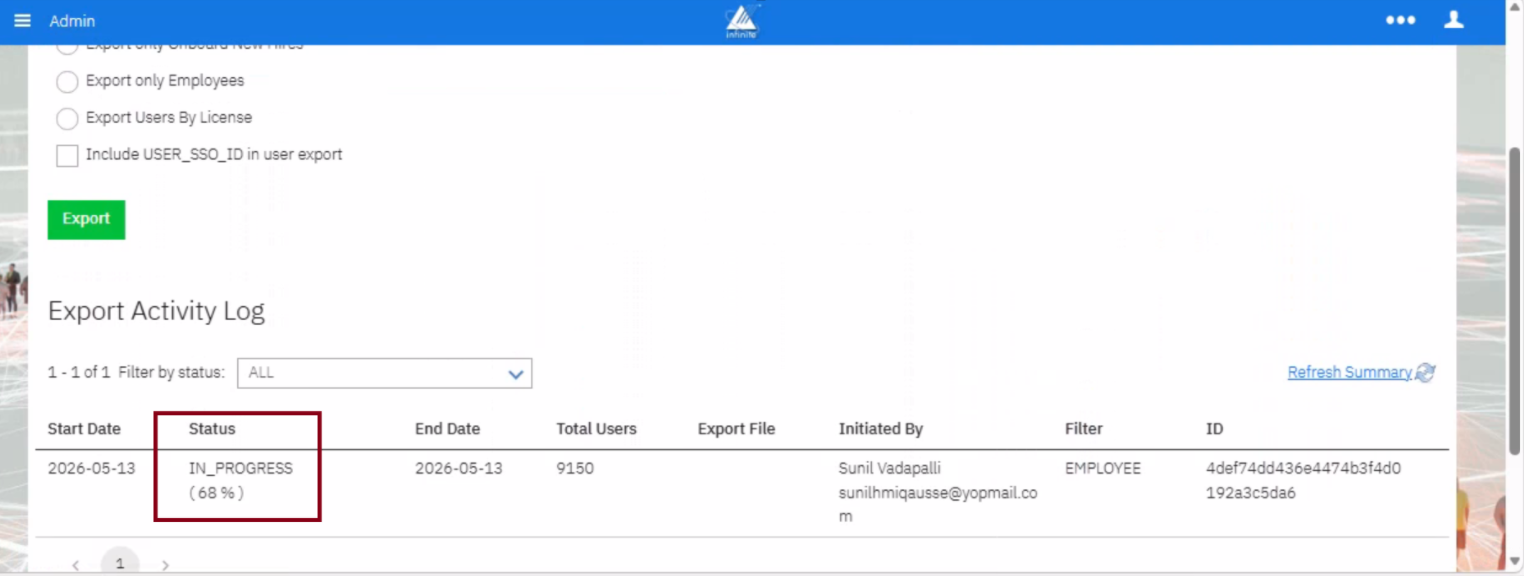
With this release, we are introducing a ‘Progress Indicator’ that displays the percentage of users exported and the total number of users exported so far. This new feature aims to enhance the user experience by providing visibility into the status of the export, thereby improving overall usability.
Path: Login to Talent Suite >> Admin >> Manage Users >> Export Users
Internal Reference Azure Board #62646
ONBOARD CONFIGURATION CHANGES
Starting with this release, Onboard Admin users can add or update values in the standard dictionaries such as D_JOB_CODES and D_JOB_TITLES.
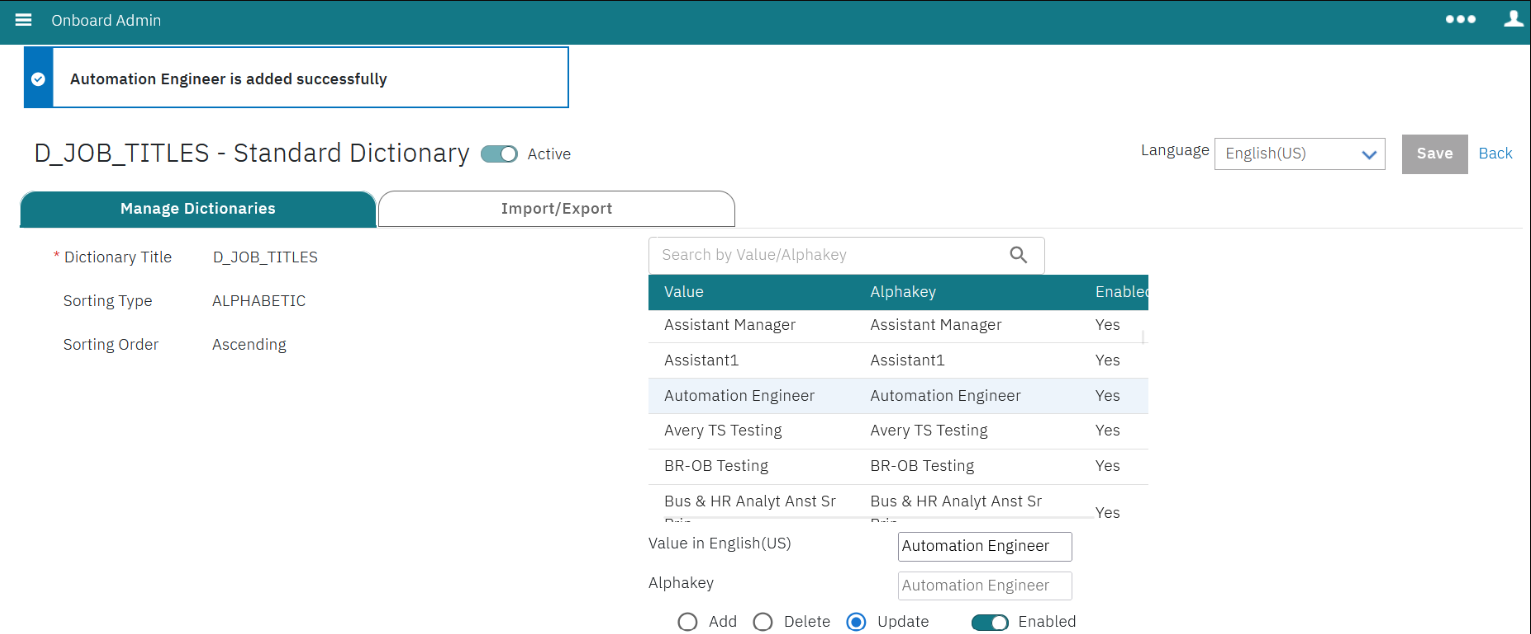
Internal Reference Azure Board #63012.
ONBOARD FIXED DEFECTS
There are no new defects in the current release.