Lead Manager: Search Fields Functionality
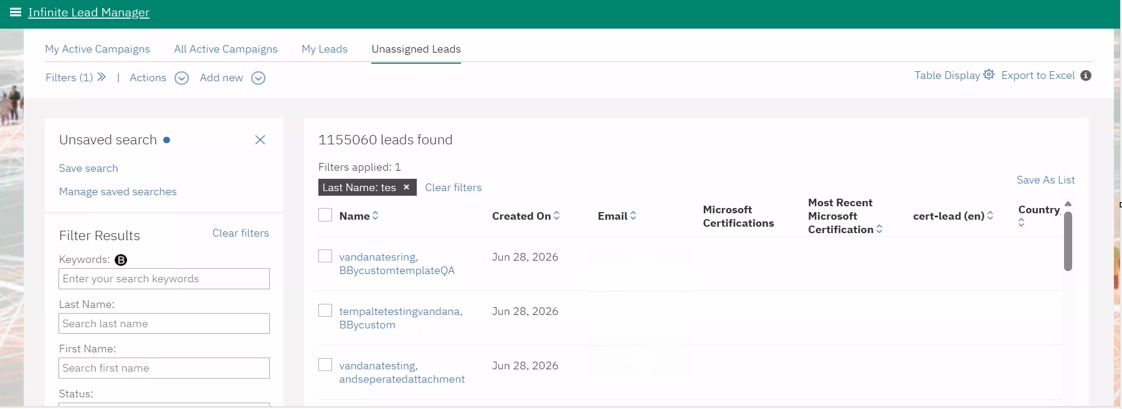
Currently, when Lead Manager users search for text and text area fields in the Filters section under Campaigns or Leads, search results are returned only for exact matches.
With this release, the search functionality has been enhanced for text, text area, and email fields. It now uses partial keyword matching instead of exact matching only. This improvement allows Lead Manager users to quickly find relevant information about campaigns or leads, even if they do not know the exact field values.
Internal Reference Azure Board # 66212.
Lead Manager: Email Templates
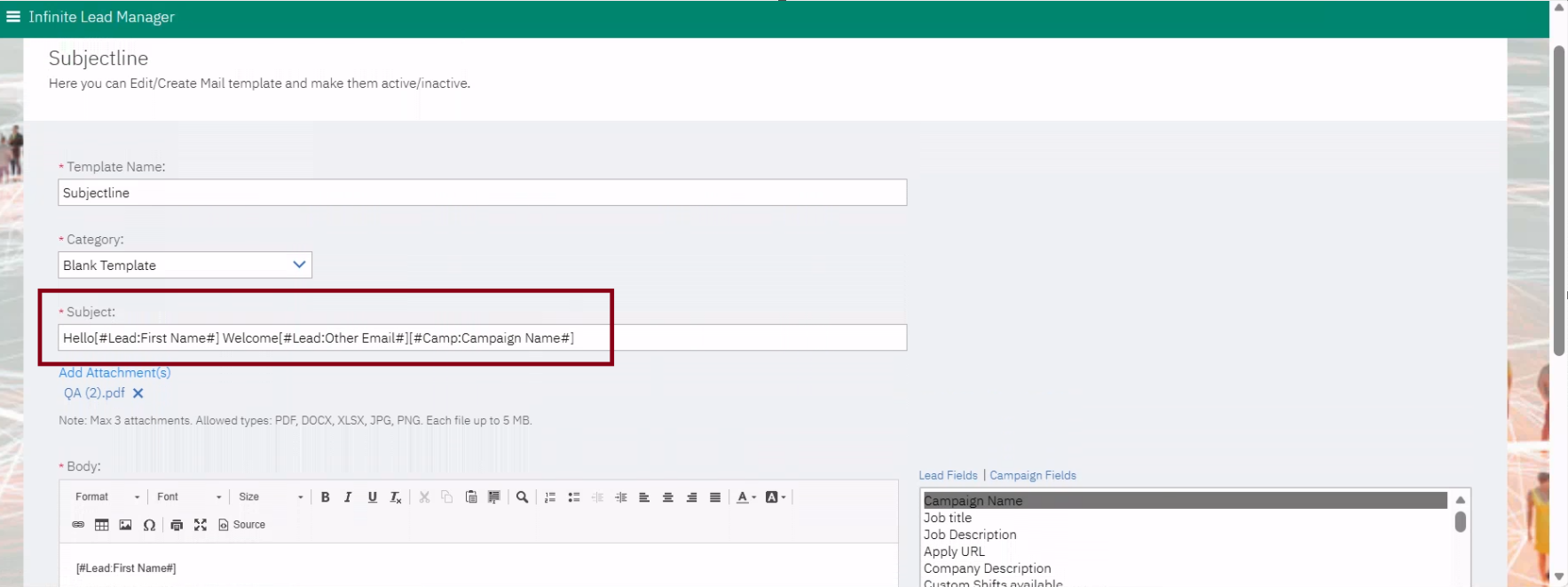
With this release, Lead Manager Administrators can now configure Leads and Campaigns custom fields in the subject line of email templates. This allows clients to personalize email subjects so that when an email is sent, the subject line is automatically populated with the corresponding custom field value.
Path: Lead Manager >> Hamburger icon >> Manage Templates >> Email Templates >> Add/Edit any Email Template >> Please cursor in the “Subject” box and double-click on Lead or Campaign fields.
Internal Reference Azure Board # 63691.
Lead Manager: Email Settings
Previously, when the Lead Manager application utilized Acoustic Campaign as its email vendor, email content was stored, allowing clients to log in and review emails sent to leads.
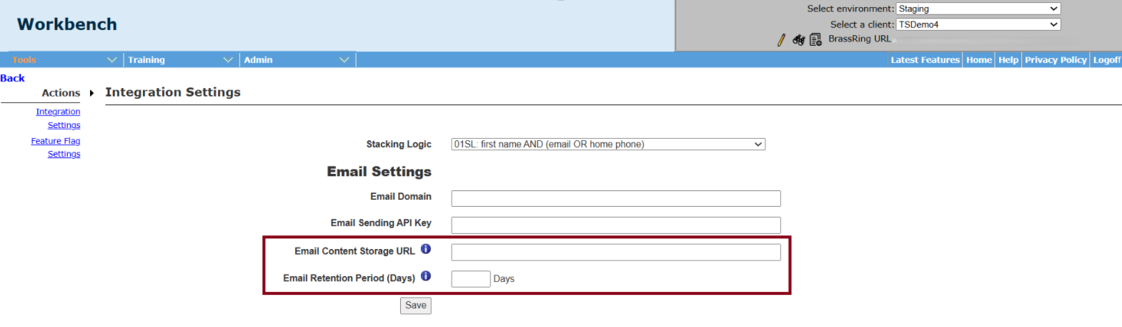
With this release, two new settings have been introduced in the Lead Manager Integration Settings within the Workbench application. Depending on the configured settings, the email content is directed to the appropriate storage destination based on the client's configuration—either within Lead Manager's internal storage or a client-defined URL. This method enables clients to keep a copy of the fully rendered email content that is captured on the URL after the email delivery.
Email Content Storage URL - Configure a custom URL to store Lead Manager email content. To use our internal storage, please contact your CSM to submit a request.
Email Retention Period (Days) - Number of days to retain the email content stored using our internal storage (max 450 days)
Path: Workbench >> Tools >> Lead Manager >> Actions >> Integration Settings >> Email Settings
Internal Reference Azure Board # 63686.